Web Data API: The Complete Guide to Extracting, Structuring & Scaling Web Data
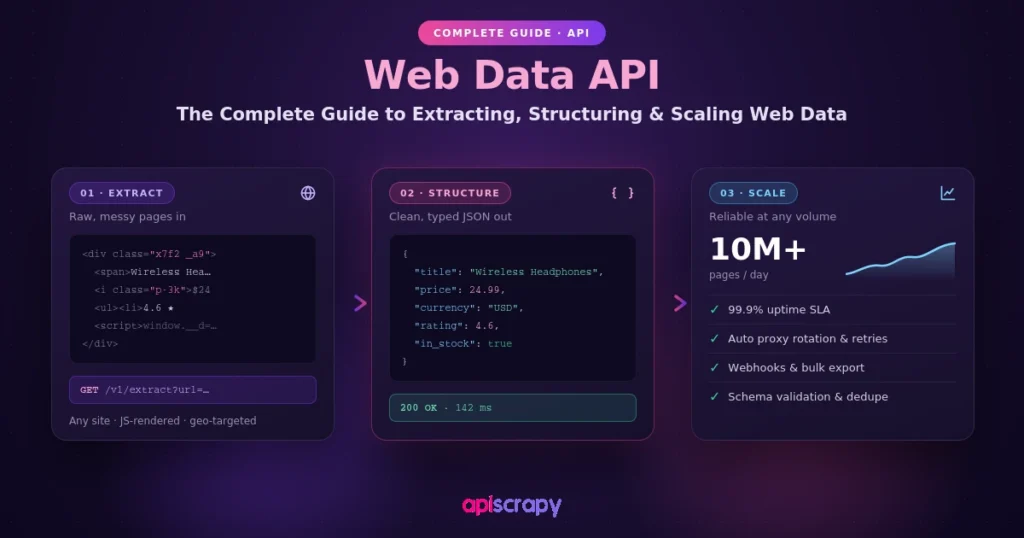
- A web data API replaces raw HTML with usable fields. It handles retrieval, cleanup, and formatting so a business receives structured JSON or CSV, not a wall of tags to parse manually.
- Build-versus-buy comes down to three failure points. In-house scripts break on cost overruns from proxy and CAPTCHA maintenance, reliability issues when anti-bot systems silently return wrong data instead of failing loudly, and scalability limits when volume jumps from ten pages a day to millions.
- Modern anti-bot detection goes beyond IP blocking. Systems like Cloudflare, Akamai, DataDome, and PerimeterX inspect browser fingerprints and TLS handshakes, which is why fingerprint emulation matters as much as proxy rotation.
- Not all web data lives in HTML. Invoices, catalogs, and compliance reports published as PDFs need OCR and layout-aware parsing to extract structured fields, saving finance and procurement teams from re-keying files by hand.
- The API excels at scale, not every use case. It’s built for high-frequency extraction across many domains and heavy anti-bot targets, but a one-off single-page pull is still faster with a simple script, and legal judgment calls on a site’s terms remain the business’s to make.
Every pricing team, market researcher, and AI engineer eventually hits the same wall: the web has the data, but it was never built for machines to read it consistently. Prices change hourly, product pages get restructured overnight, and anti-bot systems treat every automated request as a threat by default. A web data API exists to solve exactly this problem, turning scattered, unstructured web pages into clean, usable data on demand.
This guide covers what a web data API is, how it actually works under the hood, when it makes more sense than building your own scraper, and how to evaluate providers like APISCRAPY that offer this as a managed service. If you are researching “web data API,” “web scraping API,” or “structured data extraction service,” this is written to answer that intent directly, with practical detail rather than marketing language.
What Is a Web Data API?
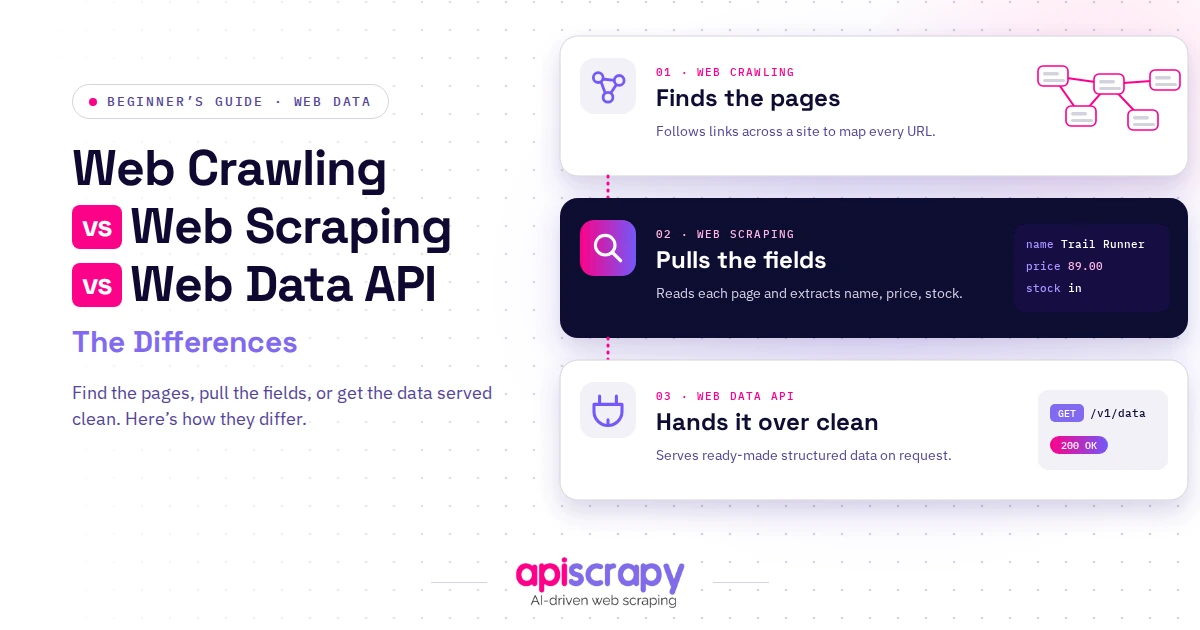
A web data API is a service that fetches web pages on your behalf and returns information in a structured, ready-to-use format such as JSON or CSV, instead of raw HTML. You send it a URL or a search query, and it handles retrieval, cleanup, and formatting so your application receives usable fields, not a wall of tags.
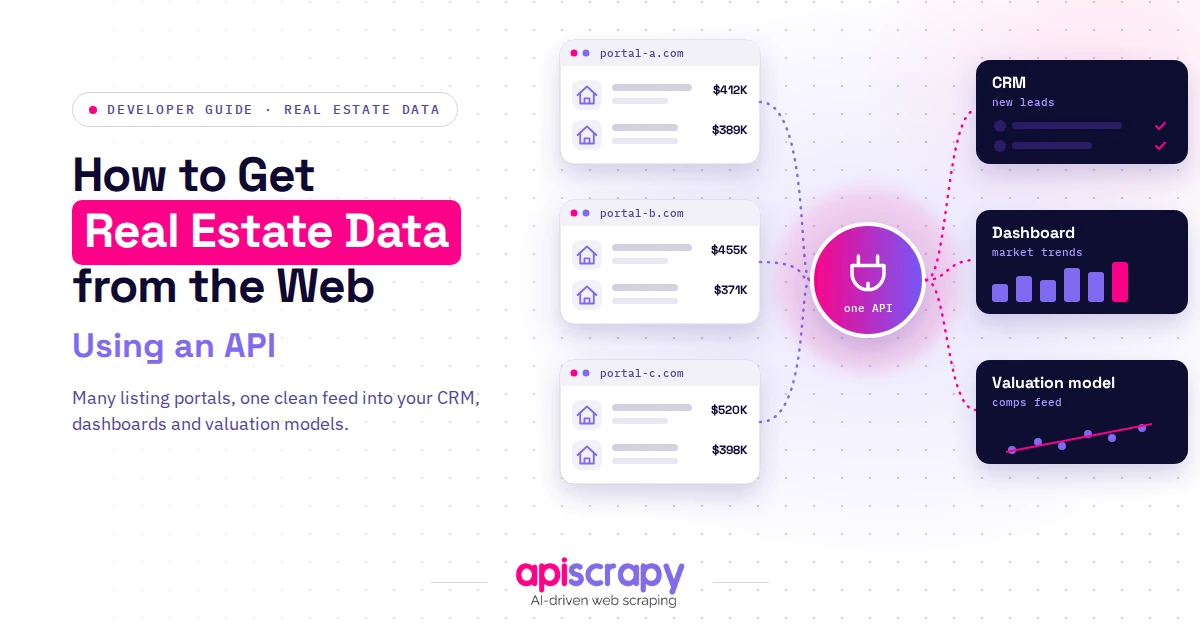
Data teams, pricing analysts, and AI/ML engineers rely on these services when they need current web information without hand-building a scraper for every source. A pricing team might pull competitor prices hourly; an AI team might pull listings to train a model. Either way, the API sits between the messy live web and the clean dataset a business actually uses.
Why Use a Web Data API Instead of Building Your Own Scraper?
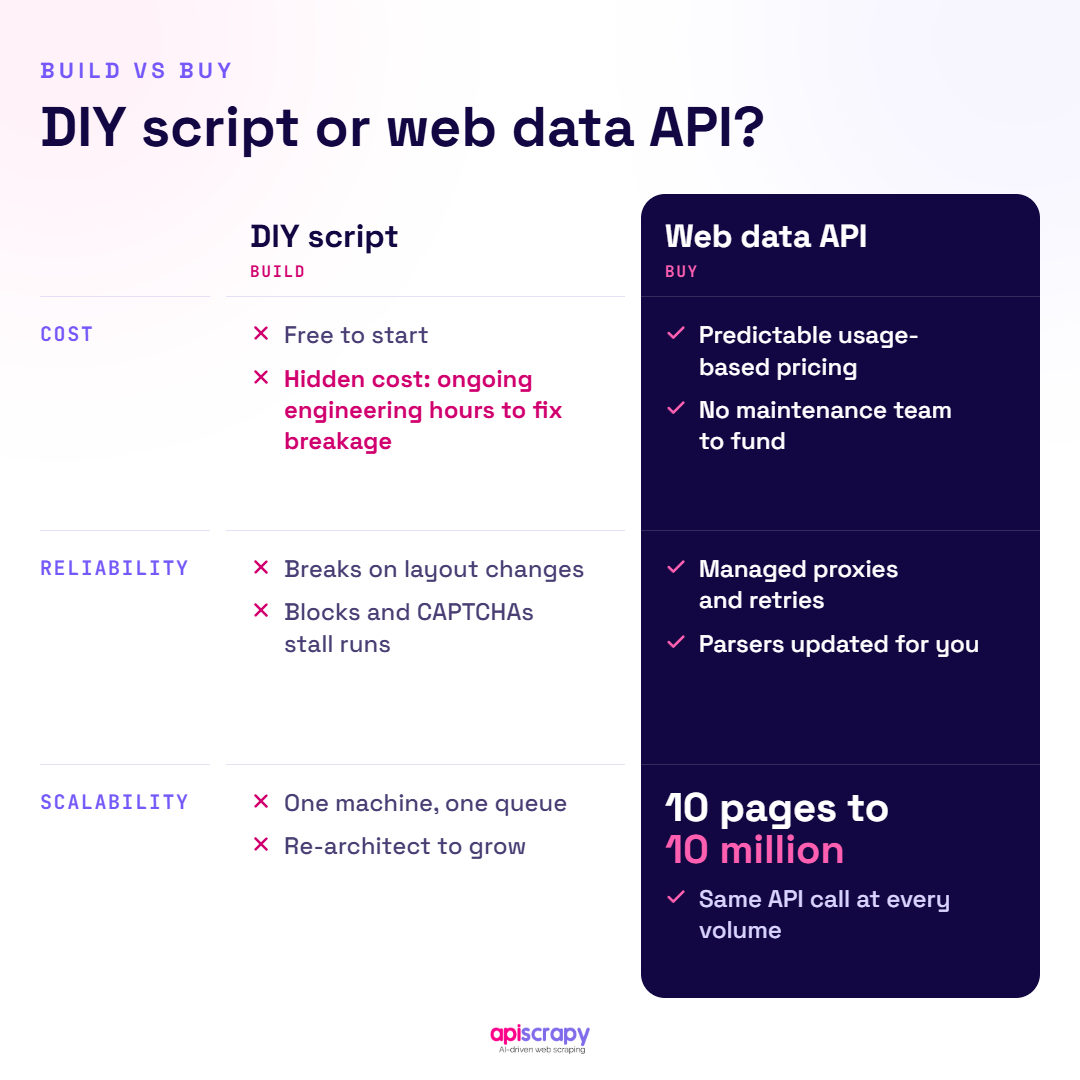
Most teams start with an in-house script. It works on day one, until the target site changes layout, a rate limit kicks in, or a bot-detection system blocks the shared IP range. This is where build-versus-buy becomes a real decision.
Cost is the first issue: maintaining proxies, rotating IPs, solving CAPTCHAs, and monitoring for layout drift takes ongoing engineering time that rarely appears in the original estimate.
Reliability is the second. Modern anti-bot systems such as Cloudflare, Akamai, DataDome, and PerimeterX inspect browser fingerprints and TLS handshakes, not just IPs. A script that worked last month can silently return wrong data instead of failing loudly, which is worse than a block.
Scalability is the third. A managed web data API is built for the jump from ten pages a day to ten million, with concurrency, retries, and geo-distributed proxies already in place. Teams that switch usually describe the same relief: engineers stop babysitting scrapers.
What Can You Do with a Web Data API?
The use cases span nearly every function that depends on external, real-world information:
- Price and MAP monitoring: track competitor pricing and policy violations across thousands of SKUs in near real time.
- Market and trend research: pull product reviews, ratings, and category data to spot demand shifts early.
- Lead generation: extract contact and firmographic data from public business directories and listings.
- AI and LLM training data: collect large, structured web datasets for model fine-tuning and retrieval-augmented systems.
- Content and SEO intelligence: monitor SERP positions, competitor content changes, and keyword trends over time.
- Document and PDF data extraction: pull structured fields out of invoices, catalogs, and reports published online.
How Does a Web Data API Work?
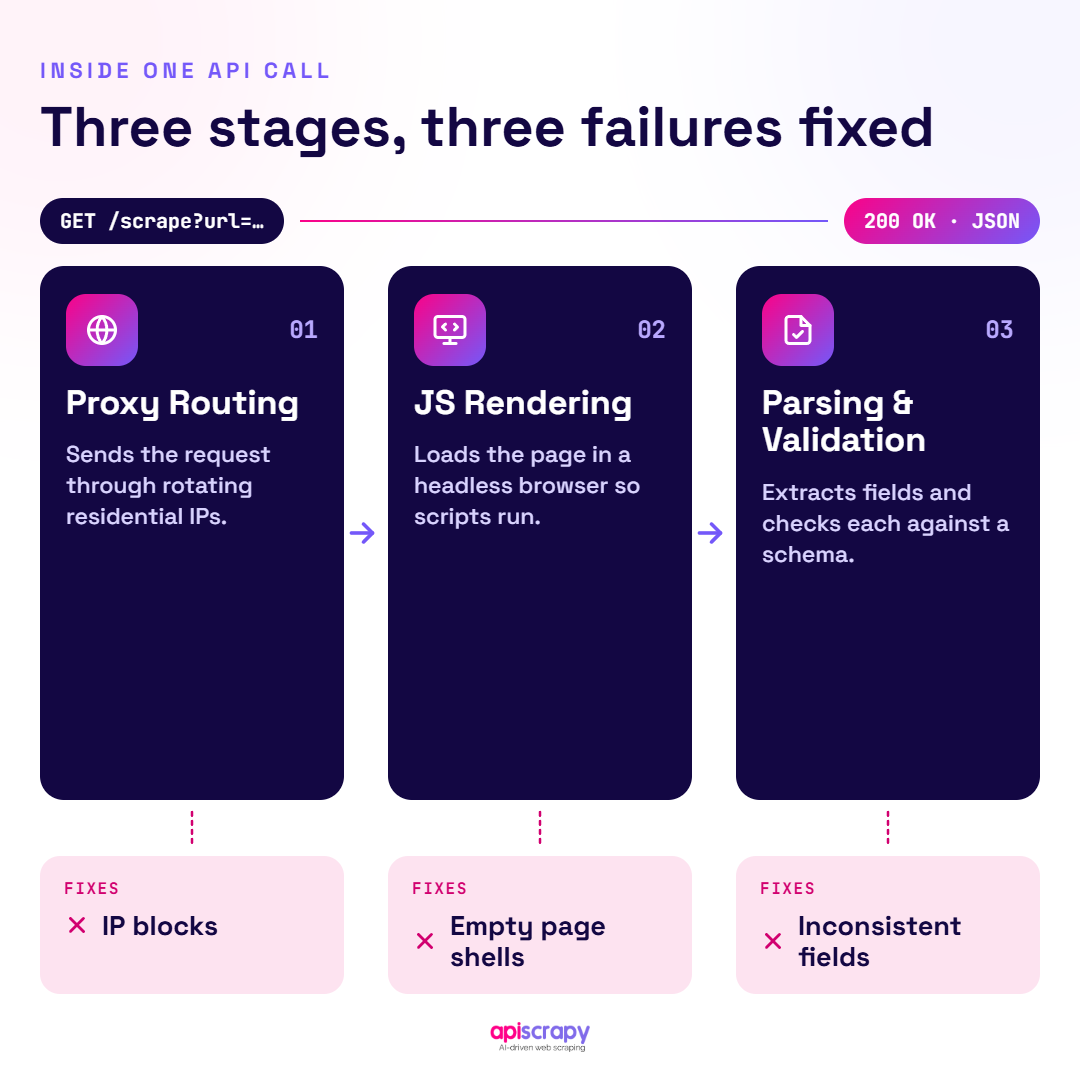
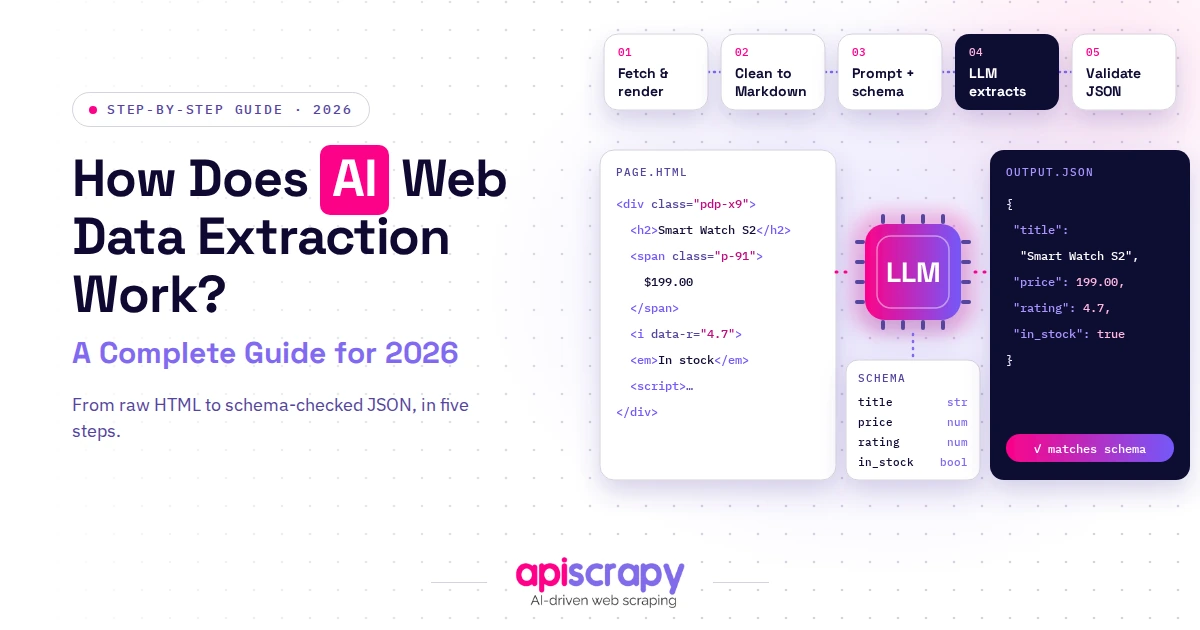
At a high level, a request passes through three stages: it routes through an appropriate proxy, renders the page including JavaScript where needed, then parses the result into structured fields. Each stage solves a specific failure point that plagues DIY scraping.
How Does It Overcome Modern Web Infrastructure Barriers?
- Rotating residential and mobile IPs reduce the chance any single address gets rate-limited or blacklisted.
- Headless browser rendering executes JavaScript so single-page applications return complete content, not empty shells.
- Fingerprint and TLS-handshake emulation makes automated requests behave like a real browser session, not a scripted bot.
- Automatic CAPTCHA handling and retry logic keep jobs moving without manual intervention every time a challenge appears.
How Does It Turn Raw HTML into Structured Data?
- Parsing engines map page elements to a defined schema, so “price” or “title” always lands in the same field.
- Normalization cleans inconsistent formats, currencies, and units so downstream systems don’t need extra cleanup code.
- Validation checks flag missing or malformed values before they reach your database, catching layout changes early.
- Output is delivered as JSON, CSV, or direct database and webhook integrations, matching how your team already works.
How Does It Scale Web Data Extraction Reliably?
- Distributed crawling spreads jobs across many workers instead of one machine hitting a bottleneck.
- Job queuing and scheduling handle recurring pulls, from hourly price checks to monthly market audits.
- Automatic retries recover from transient failures without a human noticing or intervening.
- Monitoring and alerting flag success-rate drops immediately, before bad data quietly enters a report.
What Is a Web Scraping API for Documents?
Not all web data lives in HTML. Invoices, catalogs, and compliance reports are often published as PDFs or scanned images. A document-focused scraping API applies OCR and layout-aware parsing to pull structured fields, like line items or totals, the same way it pulls a price from a webpage, which saves finance and procurement teams from re-keying thousands of files by hand.
Where Does a Web Data API Excel, and Where Doesn’t It?
- Excels at: high-frequency, high-scale extraction across many domains without infrastructure overhead.
- Excels at: sites with heavy anti-bot protection that would otherwise consume significant engineering time.
- Excels at: structured, schema-consistent output ready for dashboards or model training pipelines.
- Falls short on: one-off, single-page pulls where a simple script is genuinely faster.
- Falls short on: bespoke internal systems behind unusual authentication, which need custom engineering regardless of provider.
- Falls short on: legal judgment calls about a specific site’s terms, which the service can support but not decide for you.
Choosing the Right Web Data API
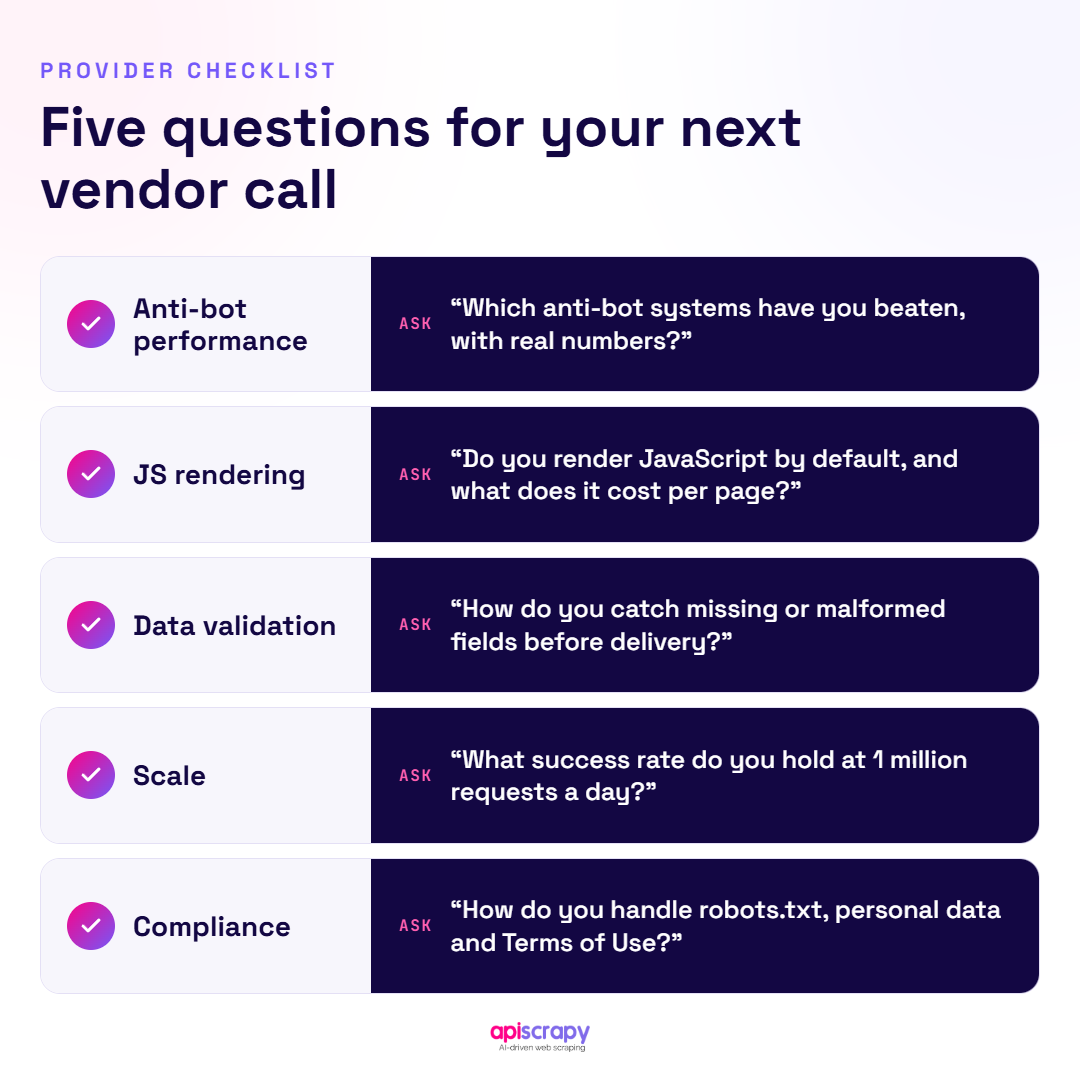
- Data accuracy and freshness: check how often the provider validates output against live pages and how fast it adapts when a target site’s layout changes.
- Scalability and rate limits: confirm concurrency and volume ceilings match your real growth plans, not just a pilot project.
- Anti-bot resilience: ask which systems (Cloudflare, Akamai, DataDome, PerimeterX) the provider has demonstrated success against, with real numbers rather than general claims.
- Integration and output formats: look for flexible delivery, JSON, CSV, webhooks, or direct database writes, so data slots into your existing stack.
- Compliance and support: favor providers with clear positions on responsible, public-data scraping and real human support when pipelines fail.
APISCRAPY: A Closer Look at a Mature Web Data API
APISCRAPY is built as a managed, end-to-end Data-as-a-Service for teams that want structured web data without owning the scraping infrastructure themselves. It fits pricing, market intelligence, and AI data teams that need reliable, recurring extraction rather than a one-off script.
Its core strength is combining proxy management, JavaScript rendering, document/OCR extraction, and schema-mapped output in one service, so the same team can pull live pricing pages and scanned invoices through a single workflow. That breadth is where it stands apart from point-solution scrapers handling only HTML or only documents, and it suits teams past the DIY-script stage that need dependable volume, not a weekend project.
One pricing intelligence team needed daily competitor price and MAP-violation data across several thousand listings, but its internal script kept breaking whenever a retailer updated its site layout. Switching to a managed extraction workflow gave the team a stable daily feed with schema-consistent fields, cutting the manual-fix time engineers previously lost to broken scrapers each week.
Start Building Your Web Crawler Today
Conclusion
A web data API turns the unpredictable, constantly shifting web into a dependable source of structured information, whether the goal is price tracking, market research, or feeding an AI pipeline. If you are ready to move past fragile in-house scripts, explore how a managed services, Book a demo with APISCRAPY can handle the extraction so your team can focus on what the data actually tells you.
Frequently Asked Questions About Web Data APIs
What is the difference between a Web Data API and a Web Scraping API?
The terms overlap heavily, but "web scraping API" often emphasizes extraction mechanics (proxies, rendering, parsing), while "web data API" emphasizes the output: structured, business-ready data. Most modern services, including APISCRAPY, function as both at once.
Which industries benefit most from Web Data APIs?
E-commerce and retail use them heavily for price and MAP monitoring, while market research and finance teams use them for competitive intelligence. AI and machine learning teams increasingly depend on them too, pulling structured datasets for model training.
Can a Web Data API scrape JavaScript websites?
Yes, modern services include headless browser rendering that executes JavaScript before extraction, which is essential for single-page applications built on frameworks like React or Vue. Without that step, the API would see only an empty page shell.
Can a Web Data API bypass CAPTCHAs?
Most managed services include automatic CAPTCHA handling, combining behavioral mimicry with dedicated solving mechanisms. This is one of the biggest reasons teams choose a managed service over an in-house scraper, since CAPTCHAs are time-consuming to solve internally.
How does a Web Data API handle proxies and rate limits?
It rotates requests across large pools of residential, mobile, or datacenter IPs so no single address triggers a site's rate limits, and uses sticky sessions when a workflow needs a consistent identity across steps. This happens automatically, behind the single API call a developer actually makes.