How to Extract Data from JavaScript-Heavy Websites: 4 Strategies That Actually Work
- Intercept internal API calls: Discover JSON endpoints through the browser’s Network tab (XHR/Fetch) to extract data from JavaScript-Heavy Websites directly. This faster approach reduces overhead, but undocumented endpoints may change without notice.
- Run a headless browser: Render the page with Playwright or Puppeteer, then scroll, click, and extract. It works on almost any site, though it costs more compute and gets flagged by anti-bot systems.
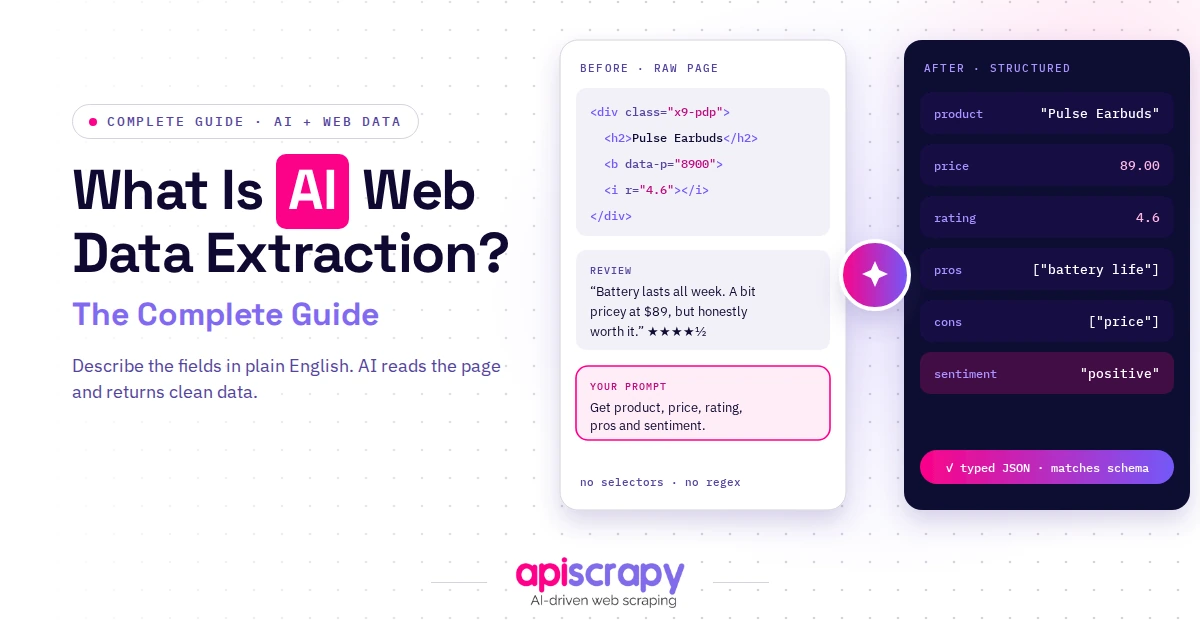
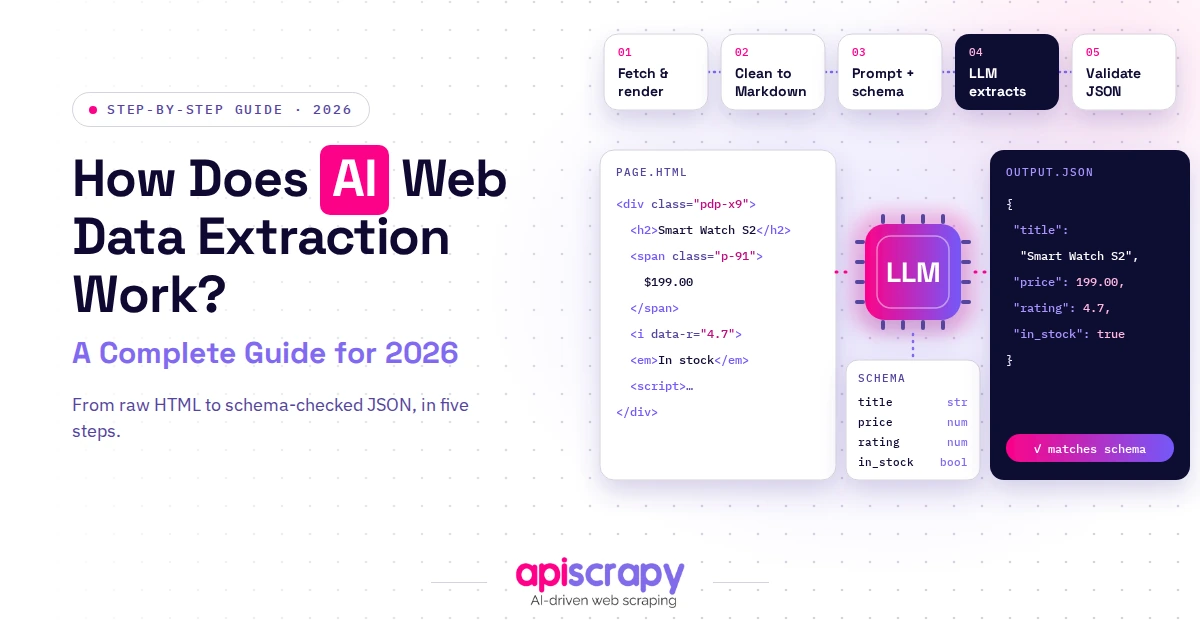
- Apply AI-powered semantic extraction: Render first, then let a model map content to your schema (price, title, availability) by meaning instead of CSS selectors. It survives redesigns, but outputs need validation for misread values.
- Offload to a cloud rendering API: Submit the URL and get structured JSON or CSV back while the provider handles browsers, proxies, and CAPTCHAs. Maintenance is lowest, and you pay a subscription for it.
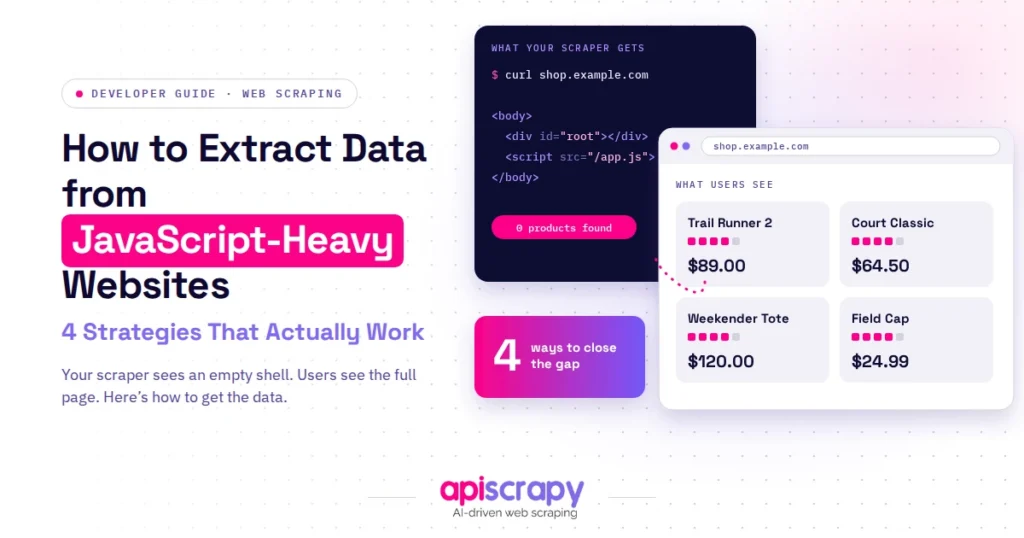
React, Vue, and Angular now power most modern websites, and traditional HTML scrapers increasingly return empty markup instead of usable data. The content simply isn’t there yet when the request arrives.
This guide compares four practical strategies for extracting data from JavaScript-heavy sites, weighed against each other rather than sold as a single fix.
These strategies were evaluated by:
- Testing against live JavaScript-heavy sites across e-commerce, real estate, and travel verticals
- Comparing reliability across different rendering patterns, including single-page apps, hydration, and infinite scroll
- Weighing maintenance overhead observed over repeated runs, not just first-pass extraction success
APISCRAPY appears as one of the illustrating examples in this comparison, alongside self-hosted and open-source alternatives.
If maintaining your own scraping infrastructure isn’t the best use of your team’s time, book a demo with APISCRAPY to see managed extraction in action.
What Is a JavaScript-Heavy Website?
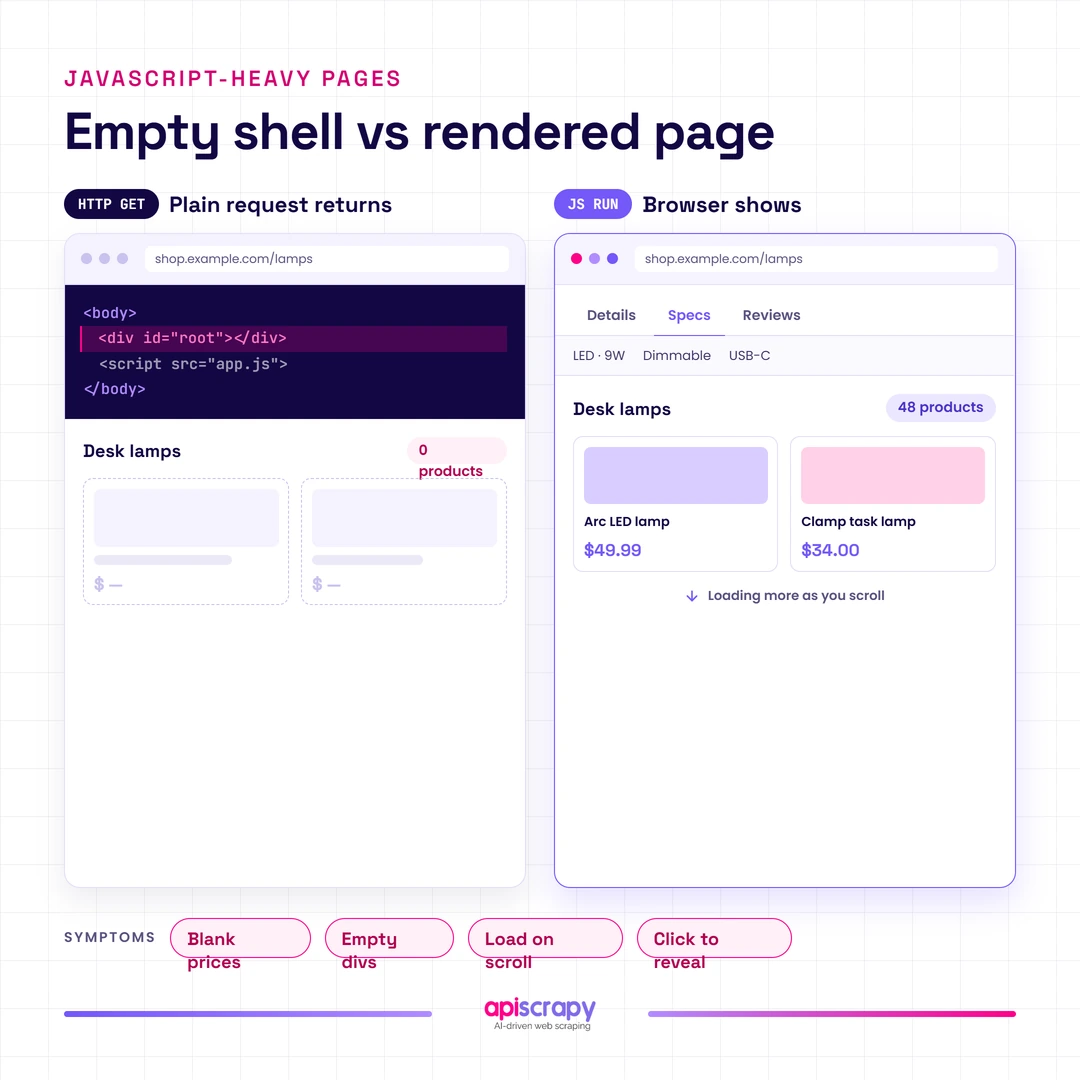
A JavaScript-heavy website renders its content client-side, meaning the browser builds the page after loading a mostly empty HTML shell and executing JavaScript against it. The visible content isn’t baked into the initial server response, unlike a traditional static page.
This matters for scraping because a standard HTTP request only returns that initial shell. Whatever data lives inside JavaScript-rendered elements simply isn’t present when the scraper looks.
Readers typically recognize this pattern through familiar symptoms: product prices that show blank in scraped output, empty div tags where content should be, feeds that only load more items on scroll, or tabs and accordions that reveal data only after a click.
4 Strategies for Extracting Dynamic Data
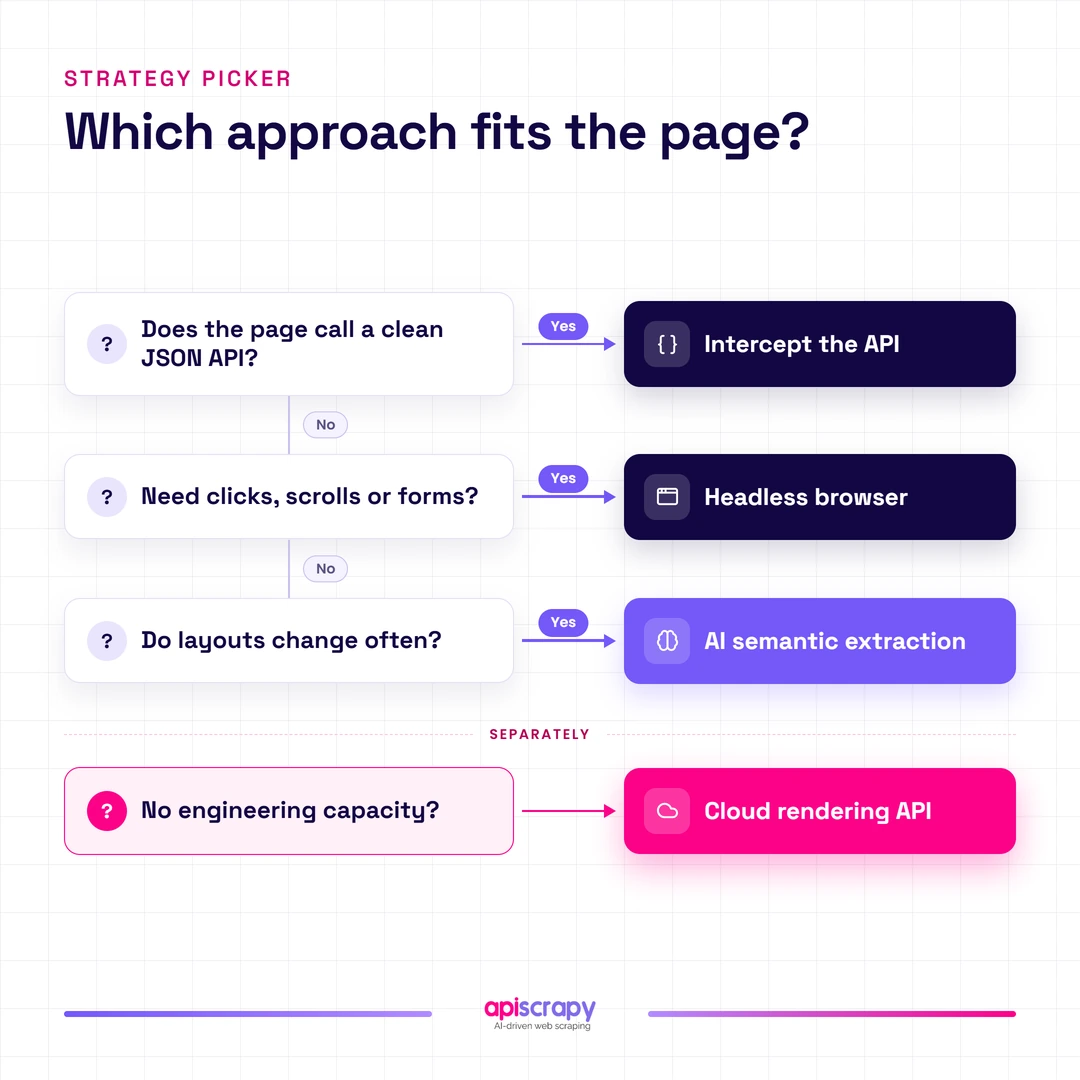
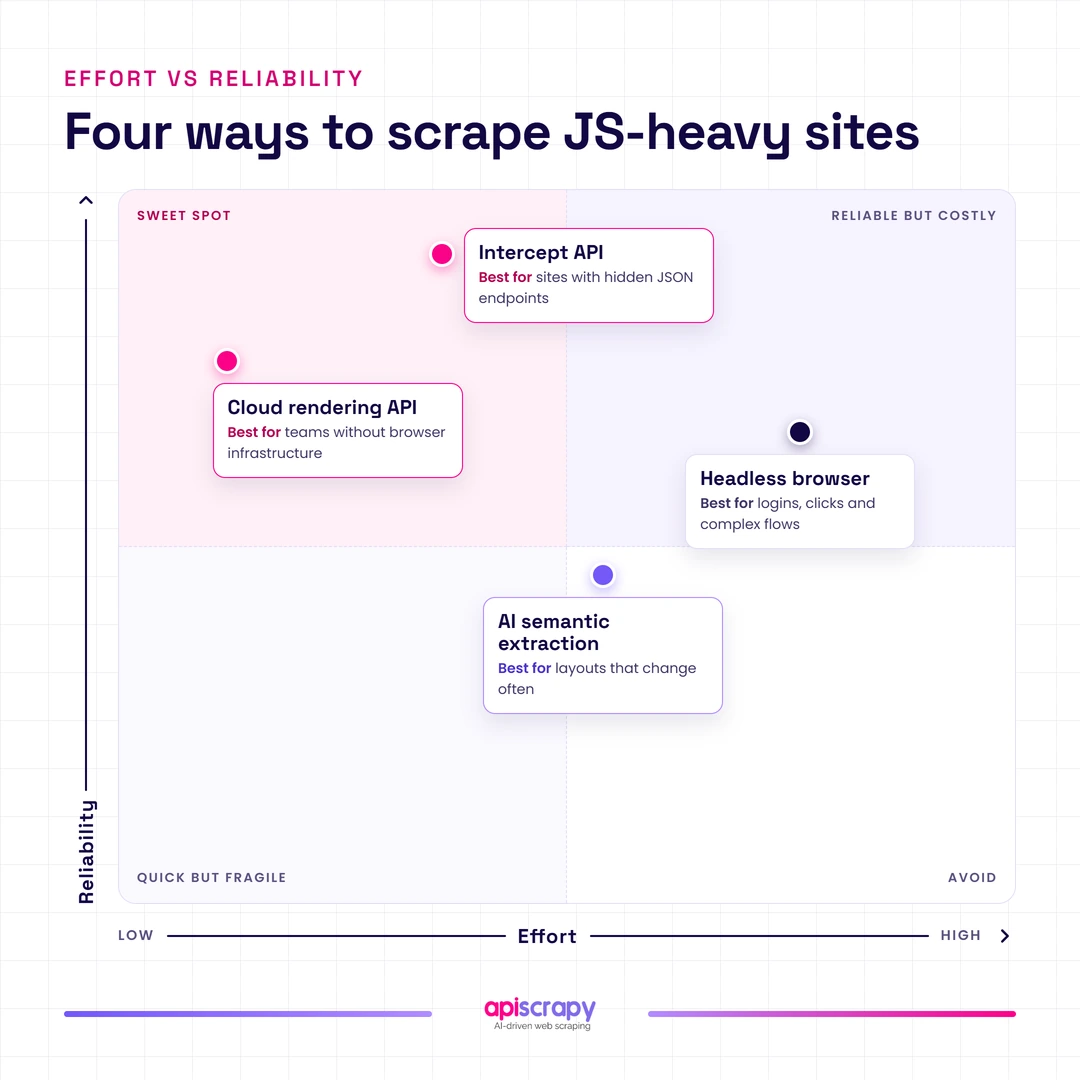
Four approaches exist for pulling data out of JavaScript-rendered pages, ranging from lightweight network interception to full browser automation. Match your choice to your team’s skill level and the site’s complexity, since the lightest approach isn’t always the most reliable, and the heaviest isn’t always necessary.
| Strategy | Best For | Effort Level | Reliability |
|---|---|---|---|
| Intercept Internal API Calls | Teams comfortable with network debugging | Low to Medium | High |
| Headless Browser Automation | General-purpose dynamic scraping | Medium to High | Medium to High |
| AI-Powered Semantic Extraction | Sites that redesign frequently | Medium | Medium |
| Cloud-Based Rendering APIs | Teams avoiding infrastructure upkeep | Low | High |
Strategy 1: Intercept Internal API Calls (Most Efficient)
Most modern web apps fetch their data from internal JSON APIs behind the scenes, and inspecting network traffic reveals these endpoints directly, bypassing rendered HTML entirely.
This suits teams comfortable reading browser developer tools and reverse-engineering request patterns, and works especially well on single-page apps with clean REST or GraphQL backends.
Unlike browser automation, this method skips rendering altogether, pulling structured JSON directly rather than parsing visual output.
How It Works / Key Considerations
- Open the browser’s Network tab and filter by XHR or Fetch to locate the JSON endpoints powering page content
- Replicate the request headers, cookies, and authentication tokens the site uses, since many APIs reject requests missing these
- Watch for endpoint versioning and parameter changes, since undocumented APIs can shift without notice or backward compatibility
- Rate-limit requests carefully, because internal APIs often carry tighter anti-abuse thresholds than the public-facing site itself
- Budget time for reverse-engineering pagination and token refresh logic, which rarely gets documented anywhere
Pros
- Fastest and lightest method available, since no browser rendering or JavaScript execution happens on your end
- Returns clean structured JSON, removing the need for HTML parsing or CSS selector maintenance entirely
- Scales horizontally with minimal compute cost, since each request is a simple HTTP call
Cons
- Internal APIs can change without warning, breaking scrapers that depend on undocumented, unversioned endpoint structures
- Some sites employ token rotation, request signing, or fingerprinting specifically to block this approach
- Requires stronger technical skill to reverse-engineer authentication flows compared to point-and-click browser tools
When to Choose This Strategy Over the Others
- Choose this when the site exposes clean JSON APIs and your team has the skill to reverse-engineer them
- Skip this at scale if the API changes frequently, since maintenance costs can exceed the time saved
- Prefer this over headless browsers when compute cost and speed matter more than ease of setup
Strategy 2: Headless Browser Automation (Most Common)
Headless browser automation runs an actual browser engine, such as Chromium through Playwright or Puppeteer, without a visible window, so JavaScript executes exactly as it would for a real visitor.
This suits teams needing a general-purpose solution across many different sites, especially when internal APIs aren’t accessible or well-documented.
Unlike API interception, this approach doesn’t require reverse-engineering anything, since it simply waits for the page to render like a browser would.
How It Works / Key Considerations
- Launch a headless Chromium, Firefox, or WebKit instance and navigate to the target URL like a real browser
- Wait for specific DOM elements or network idle states before extracting content, since timing mismatches cause blank scrapes
- Simulate scrolling, clicking, and form interactions to trigger lazy-loaded content and infinite scroll feeds
- Rotate browser fingerprints, user agents, and proxies, since headless browsers are a primary target for bot detection
- Budget server resources carefully, since each browser instance consumes meaningfully more memory and CPU than a plain HTTP request
Pros
- Works on nearly any JavaScript-heavy site, since it renders pages the same way a real user’s browser would
- Handles complex interactions like clicks, scrolling, and form submissions that pure API interception cannot replicate
- Requires no reverse-engineering of internal APIs, making it more approachable for teams without deep networking experience
Cons
- Resource-intensive at scale, since each concurrent browser instance requires meaningfully more memory and CPU
- Frequently targeted by anti-bot fingerprinting techniques designed specifically to detect headless browser signatures
- Slower per page than API interception, since full page rendering takes noticeably longer than a raw JSON request
When to Choose This Strategy Over the Others
- Choose this when sites lack accessible APIs and require simulated clicks, scrolling, or form submissions to reveal data
- Prefer this over API interception when the target site changes its internal API structure too frequently to track
- Move to cloud-based rendering APIs instead if hosting your own browser fleet becomes too costly to maintain
Strategy 3: AI-Powered Semantic Extraction
This approach uses AI models to interpret page content semantically, identifying data like prices or product names by meaning rather than by fixed CSS selectors or XPath.
This suits teams scraping sites that redesign frequently, or extracting from many different site layouts without writing custom parsing logic for each.
Unlike selector-based methods, this approach tolerates layout changes gracefully, since it identifies data by context and meaning instead of position.
How It Works / Key Considerations
- Feed rendered page content, whether HTML or a screenshot, into a model trained to recognize structured data patterns
- Define the target schema, such as price, title, and availability, and let the model map content to those fields
- Validate outputs against expected data types and ranges, since models occasionally misidentify or hallucinate field values
- Combine with headless rendering first, since the model still needs fully rendered content to interpret correctly
- Monitor extraction accuracy over time, since layout drift can still degrade output quality without triggering obvious errors
Pros
- Survives layout redesigns better than selector-based scrapers, since it identifies data by meaning rather than fixed position
- Reduces ongoing maintenance work, since selectors don’t need rewriting every time a site changes its markup
- Adapts more easily across many different site structures without writing separate parsing logic for each one
Cons
- Higher per-request cost than simple parsing, since each extraction call involves model inference rather than a regex match
- Occasional misclassification or hallucinated values require validation layers that add complexity to the pipeline
- Still depends on rendered content, so it inherits the same rendering overhead as headless browser methods
When to Choose This Strategy Over the Others
- Choose this when scraping many different site layouts that would otherwise each need custom selector maintenance
- Prefer this over rigid selectors when sites redesign often enough that scrapers break every few weeks
- Skip this for simple, stable single-site scrapes where a straightforward selector already works reliably
Strategy 4: Cloud-Based Rendering APIs
Cloud-based rendering services and managed data extraction providers handle the browser infrastructure, proxy rotation, and anti-bot evasion on your behalf, returning ready-to-use structured data through a simple API call.
This suits teams that want reliable extraction without hiring engineers to maintain browser farms, proxy pools, or anti-detection logic themselves.
Unlike self-hosted headless browsers, this approach shifts the infrastructure burden, including CAPTCHA handling and IP rotation, onto the service provider.
How It Works / Key Considerations
- Submit a target URL or scraping job through the service’s API, specifying the data fields you need extracted
- The service handles browser rendering, proxy rotation, and CAPTCHA solving behind the scenes, out of your infrastructure’s reach
- Structured data returns as JSON or CSV, often already cleaned and normalized rather than raw HTML
- Scale request volume by adjusting plan tier rather than provisioning and maintaining additional servers yourself
- Monitor service-level reliability metrics, since output quality still depends on how well the provider adapts to site changes
Pros
- Removes infrastructure and maintenance burden entirely, since the service manages browsers, proxies, and anti-bot evasion
- Scales quickly without hiring additional engineering headcount, since capacity is a plan or billing change
- Often includes data cleaning and normalization, reducing the post-processing work your team would otherwise handle
Cons
- Ongoing subscription cost, which can exceed self-hosted infrastructure at very high, sustained request volumes
- Less direct control over extraction logic compared to building and maintaining your own scraping pipeline
- Dependent on the provider’s uptime and adaptation speed when target sites change their structure
When to Choose This Strategy Over the Others
- Choose this when your team lacks the engineering capacity to build and maintain scraping infrastructure long-term
- Prefer this over headless browser automation when reliability and uptime matter more than granular custom control
- Skip this if your extraction needs are simple enough that a lightweight in-house script already handles them reliably
Case Study
A mid-sized e-commerce analytics team needed daily price and availability data from dozens of JavaScript-rendered competitor sites, but their in-house headless scrapers broke every few weeks under anti-bot updates.
Switching to APISCRAPY’s managed extraction service removed the browser maintenance burden entirely, delivering structured pricing data on schedule without ongoing engineering intervention.
How Can You Extract Data from JavaScript Sites Without Relying on a Full Browser?
The two most reliable ways to extract data without running a full browser are intercepting internal API calls and using cloud-based rendering services that handle rendering externally.
- Lower compute cost, since no local browser instance needs to render pages or execute JavaScript
- Faster execution per request, since raw JSON responses return without waiting for full page rendering
- No browser maintenance overhead, avoiding constant updates for anti-detection and fingerprint rotation
- Easier to scale horizontally, since API calls parallelize more cheaply than concurrent browser instances
Why Is Extracting Data from JavaScript Sites So Difficult?
The core tension is straightforward: the data exists on the page, but only after JavaScript executes, not within the source code a basic request receives.
Client-side rendering introduces timing problems, since scrapers must wait for JavaScript execution to finish rather than simply reading a static server response.
Anti-bot defenses compound the difficulty, using dynamic class names, obfuscated selectors, and browser fingerprinting techniques that specifically target headless automation tools.
Infinite scroll, lazy loading, and click-to-reveal elements add another layer, since this content never appears in the DOM without simulated user interaction.
Practitioners who scrape at scale often describe these issues as compounding rather than isolated, where a single layout change can quietly break dozens of dependent scrapers overnight.
Which Methods Actually Work for Extracting Data from JavaScript Sites?
For most teams, API interception and headless browser automation remain the two most reliable methods, in that order of preference based on maintenance cost and speed.
- API interception: Fastest and lightest, but requires reverse-engineering skill and breaks if endpoints change unexpectedly
- Headless browser automation: Works almost universally, though it demands more compute and anti-detection maintenance
- Cloud-based rendering services: Reliable and low-maintenance, trading some cost for removing infrastructure upkeep
- AI-powered extraction: Resilient to layout changes, useful when scraping many different site structures at once
How Are Businesses Using JavaScript Data Extraction in the Real World?
- Competitor price monitoring: Retail and e-commerce teams track competitor pricing across JavaScript-rendered storefronts daily, feeding the data into dynamic pricing engines that adjust their own listings within hours instead of relying on manual spot-checks.
- Real estate listing aggregation: Property platforms pull listings from multiple JavaScript-heavy broker sites, normalizing addresses, prices, and availability into a single searchable feed that updates continuously rather than in weekly batches.
- Travel fare tracking: Travel agencies and fare-comparison tools monitor JavaScript-rendered airline and hotel booking pages, capturing price fluctuations tied to seat availability and demand shifts that static scraping would miss entirely.
- Financial data monitoring: Research firms extract earnings commentary from JavaScript-rendered investor relations pages, feeding models that need fresher inputs than quarterly filings alone provide.
Case Study
A price-intelligence company monitoring hundreds of JavaScript-heavy retail sites needed extraction that survived frequent anti-bot updates without pulling engineers off product work.
Using APISCRAPY’s data-as-a-service pipeline, they received structured, ready-to-use pricing feeds directly, cutting manual troubleshooting time significantly.
Conclusion
The four strategies covered here, API interception, headless browser automation, AI-powered semantic extraction, and cloud-based rendering services, each solve the JavaScript rendering problem differently.
Choosing between them comes down to your team’s technical maturity, the scale of data you need, and how much infrastructure upkeep you’re willing to take on.
If maintaining your own scraping infrastructure isn’t the best use of your team’s time, book a demo with APISCRAPY to see managed extraction in action.
FAQs About Extracting Data from JavaScript-Heavy Websites
How do you scrape a JavaScript-heavy website when the data is not available in the HTML?
The data lives in the DOM only after JavaScript executes, so a scraper needs to either render the page in a browser or find the API supplying it directly.
Can you scrape JavaScript-heavy websites without using a headless browser?
Yes, by intercepting the internal API calls the page makes behind the scenes, or by using a cloud-based rendering service that handles browser execution externally.
How do you scrape dynamic content such as infinite scrolling, tabs, and load-more buttons?
Headless browser automation simulates the scrolling, clicking, and interaction patterns needed to trigger this content, since it never appears in the DOM without them.
What is the best way to scale JavaScript-heavy web scraping without constant failures?
Combining proxy rotation, browser fingerprint diversity, and resilient extraction logic reduces failure rates, though maintaining all three in-house requires ongoing engineering attention.
How do you keep a JavaScript-heavy web scraper working when a website changes its layout?
Selector-based scrapers typically break on layout changes, requiring manual updates to CSS selectors or XPath expressions every time a site redesigns. AI-powered semantic extraction and managed services tend to survive these changes better, since they identify data by meaning or absorb adaptation work on the provider's side.