How to Scrape YouTube
TL;DR
To scrape YouTube, use the official YouTube Data API for small, structured pulls, a managed scraping service for scale, and a no-code service for quick exports. The API caps you at 10,000 units a day, and one search costs 100 of them. Most blocks come from request rate and IP reputation, not from your code.
- The YouTube Data API is free but capped at 10,000 quota units per project per day.
- Swap search calls for playlist calls and a channel lookup drops from 100 units to 1.
- yt-dlp pulls metadata and comments without an API key, but cloud IPs get flagged.
- Residential proxies, backoff, and managed services fix most blocks.
- YouTube’s terms restrict automated access, so collect public data only.
YouTube is the largest public video library online, and its titles, views, comments, and transcripts are gold for anyone studying audiences or markets. The hard part is getting that data out in a clean, repeatable way.
This guide covers three proven methods, working Python code, and fixes for the blocks you will hit. It is written for analysts, growth teams, and developers who need YouTube data they can trust.
How we chose the methods:
- Checked against YouTube’s official documentation and API policies
- Compared on quota limits, block risk, setup effort, and cost
- Matched to real use cases, from one-off exports to scheduled pipelines
Disclosure: APISCRAPY is our own service and appears in this guide. We kept the comparison neutral.
Need YouTube data without the blocks and maintenance? Book a demo with APISCRAPY and get structured data delivered on schedule.
What YouTube Data Can You Extract?
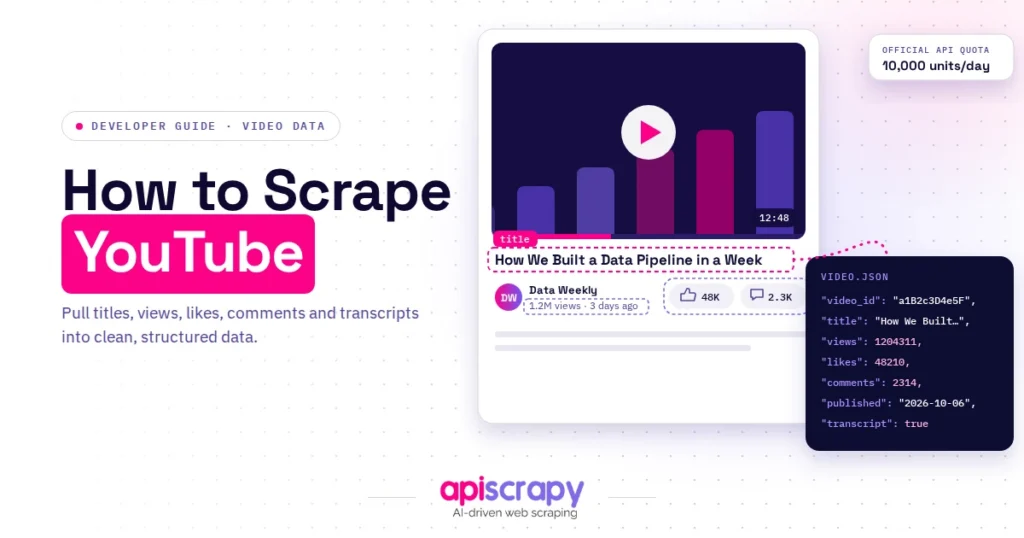
You can extract public YouTube data such as video details, channel stats, comments, transcripts, and search results. Private data and account details are off limits.
| Data type | Key fields | Best method |
|---|---|---|
| Video metadata | Title, views, likes, publish date, tags | Official API |
| Channel data | Subscribers, upload count, description | Official API |
| Comments | Text, author, likes, replies | API or yt-dlp |
| Transcripts | Caption text, timestamps | yt-dlp or managed service |
| Search results | Video IDs, titles, ranking | Managed service |
| Playlists and Shorts | Item lists, durations | Official API |
Teams use this data for trend research, sentiment analysis, influencer discovery, and competitor tracking. A marketing team, for example, can compare audience reactions to rival product launches by pulling comments in bulk.
Stay with public data, avoid personal details, and skip video file downloads. The legal section below explains why.
Want to Scrape YouTube Data? Here’s How
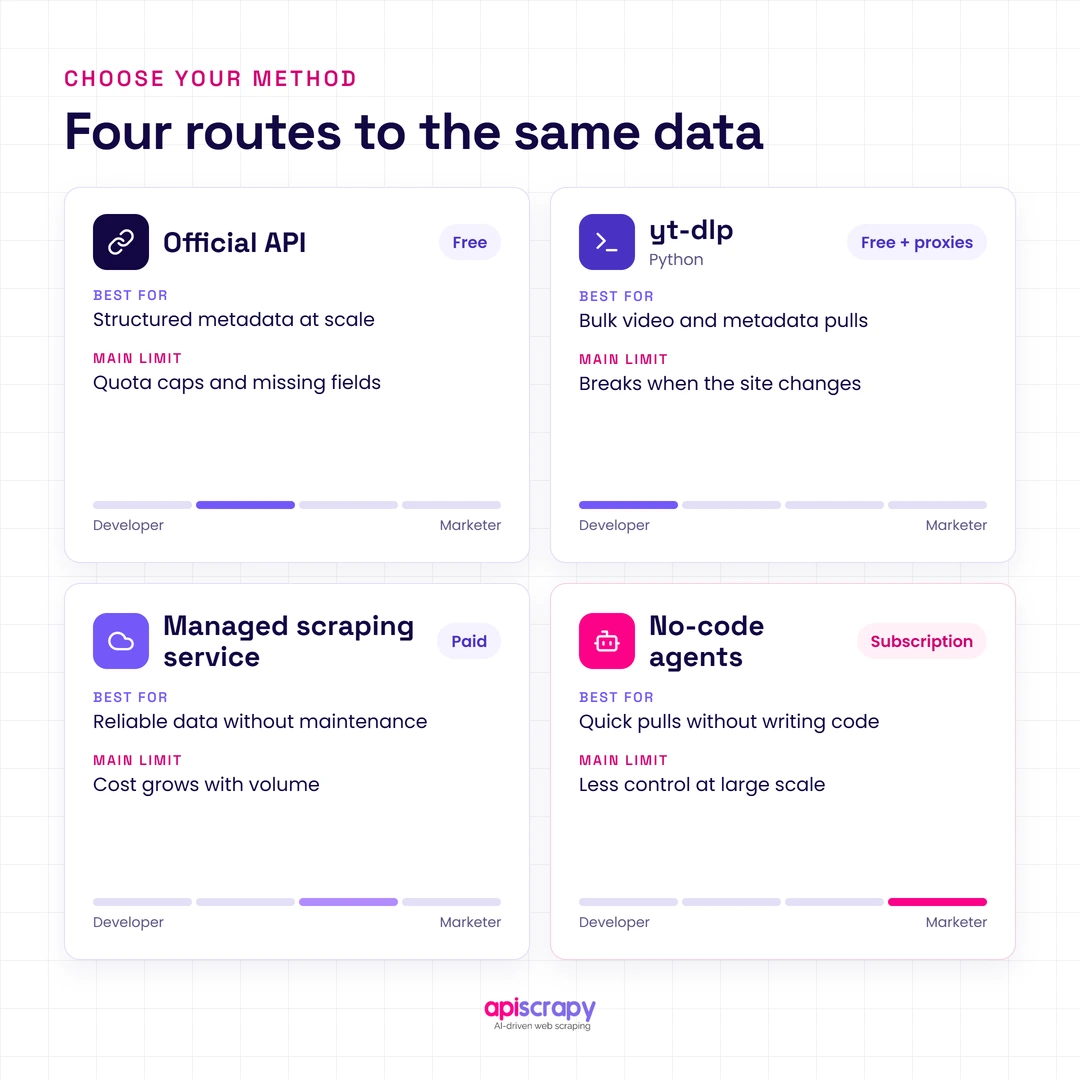
The right method depends on volume, budget, and skill. Use this table to find your starting point.
| Method | Best for | Main limit | Cost |
|---|---|---|---|
| Official API | Small, structured pulls | 10,000 units a day | Free |
| yt-dlp (Python) | Metadata, comments, transcripts | Blocks on cloud IPs | Free plus proxies |
| Managed scraping service | Recurring, large-scale data | Vendor dependency | Paid |
| No-code agents | Quick exports | Limited customization | Subscription |
Method 1: The Official YouTube Data API v3 (Free & Standard)
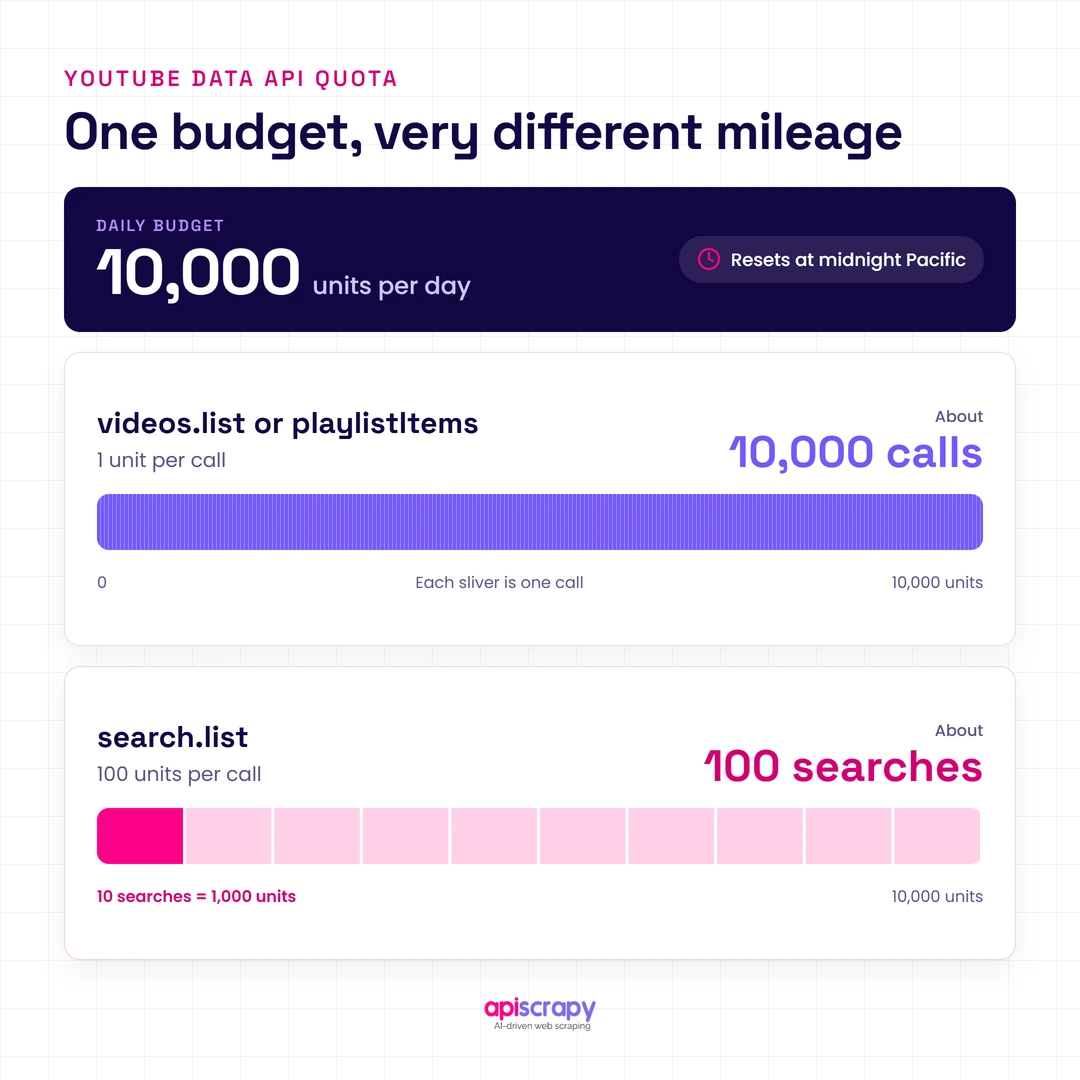
The YouTube Data API v3 is Google’s official route to public video, channel, playlist, and comment data. It returns clean JSON and is the safest option at low volume.
How to set it up:
- Create a project in Google Cloud Console.
- Enable YouTube Data API v3.
- Create an API key under Credentials.
- Install the client:
pip install google-api-python-client. - Call the endpoint you need.
from googleapiclient.discovery import build

youtube = build("youtube", "v3", developerKey="YOUR_API_KEY")

# 1 unit: details for up to 50 videos in one call

videos = youtube.videos().list(

part="snippet,statistics",

id="VIDEO_ID_1,VIDEO_ID_2"

).execute()

for v in videos["items"]:

print(v["snippet"]["title"], v["statistics"].get("viewCount"))

# 1 unit: a channel's uploads (search.list would cost 100)

channel_id = "UC_CHANNEL_ID"

uploads = youtube.playlistItems().list(

part="contentDetails",

playlistId="UU" + channel_id[2:],

maxResults=50

).execute()
Every project gets 10,000 units a day, and the quota resets at midnight Pacific. Most reads cost 1 unit, but search.list costs 100, so a search-heavy workflow stops after about 100 queries. That is why the code above lists uploads through playlistItems instead.
Pros: official, stable, free, and clean JSON.
Cons: a hard daily ceiling and limited fields. More quota requires Google’s audit form, which can take weeks to months with no guarantee.
Avoid: creating extra Cloud projects to dodge the cap, since that breaks the API terms.
Best for developers pulling a few thousand records a day.
Bonus: Python with yt-dlp (No API Key)
yt-dlp is an open-source Python library that extracts video metadata, comments, and subtitles without an API key. It suits one-off bulk pulls once your API quota runs out.
from yt_dlp import YoutubeDL

opts = {"quiet": True, "skip_download": True, "getcomments": True}

with YoutubeDL(opts) as ydl:

info = ydl.extract_info(

"https://www.youtube.com/watch?v=VIDEO_ID",

download=False

)

print(info["title"], info.get("view_count"), len(info.get("comments", [])))
The catch is stability. yt-dlp depends on YouTube’s internal responses, so it can break after site changes and often hits bot checks on cloud servers.
Method 2: Managed Commercial Scraping APIs (Scale & Bypass Limits)
A managed scraping service collects the data for you and returns it as structured JSON or files. It takes over proxies, retries, and parser upkeep, which is where most in-house projects burn their time.
The typical flow is simple:
- Send video URLs, channel URLs, or search queries
- The service handles proxies, bot checks, and retries
- Receive structured data on demand or on a schedule
Providers fall into three groups: managed web data services, scraping infrastructure services, and off-the-shelf dataset providers. Compare them on these points:
- Fields covered, such as comments, transcripts, and Shorts
- Block handling included in the price
- Output format and delivery schedule
- Pricing per result versus per request
- Data-use and compliance terms
Best for recurring, high-volume collection where engineering time costs more than the service.
Method 3: No-Code & AI Scraping Agents
No-code services let you paste a URL or search query, pick fields, and export to CSV, Excel, or JSON. AI scraping agents go further, letting you describe the data in plain English, such as “collect title, views, and top comments.”
Best for marketers and analysts who need a fast export without code. The trade-off is weaker custom logic and lower volume.
What to Do When YouTube Blocks Your Scraper
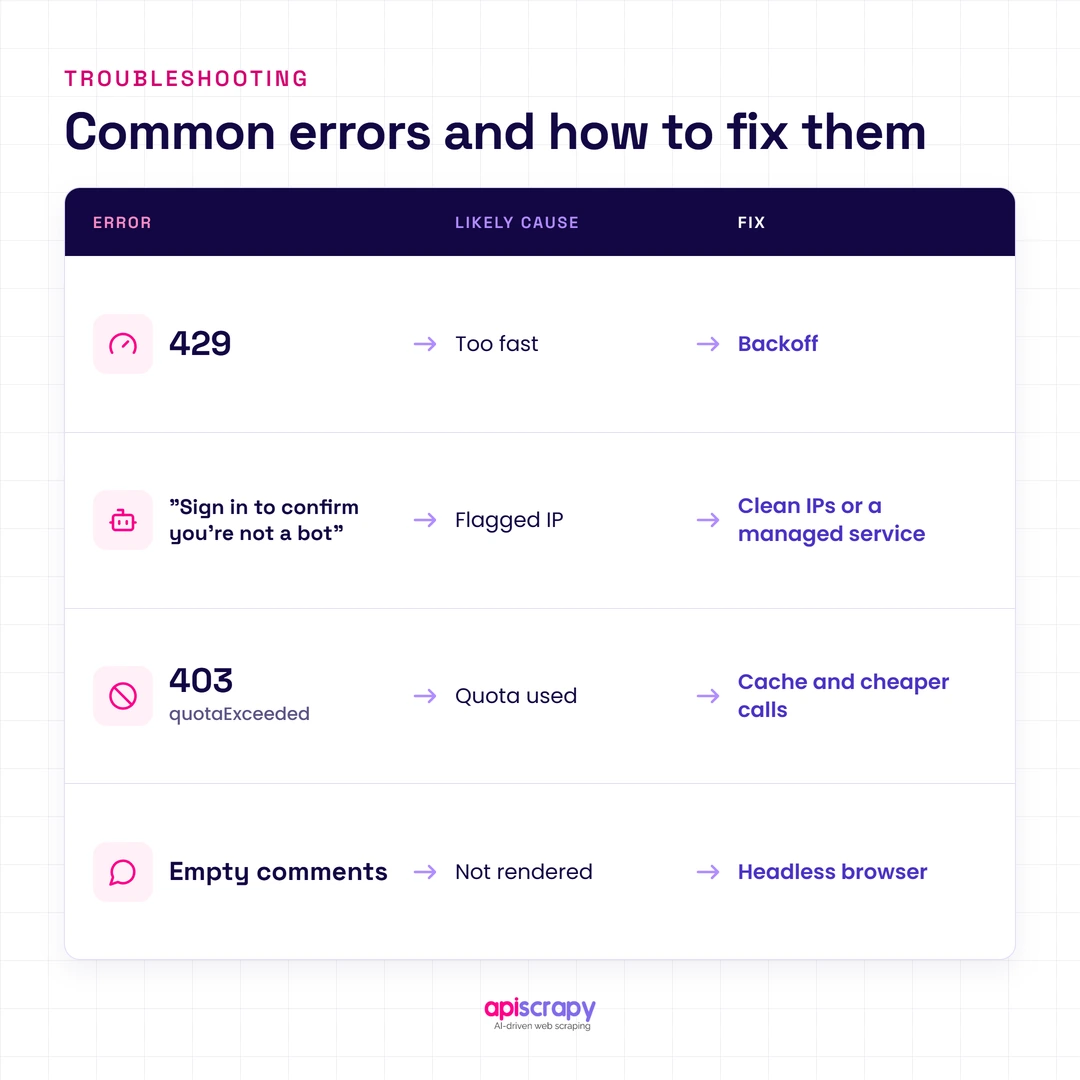
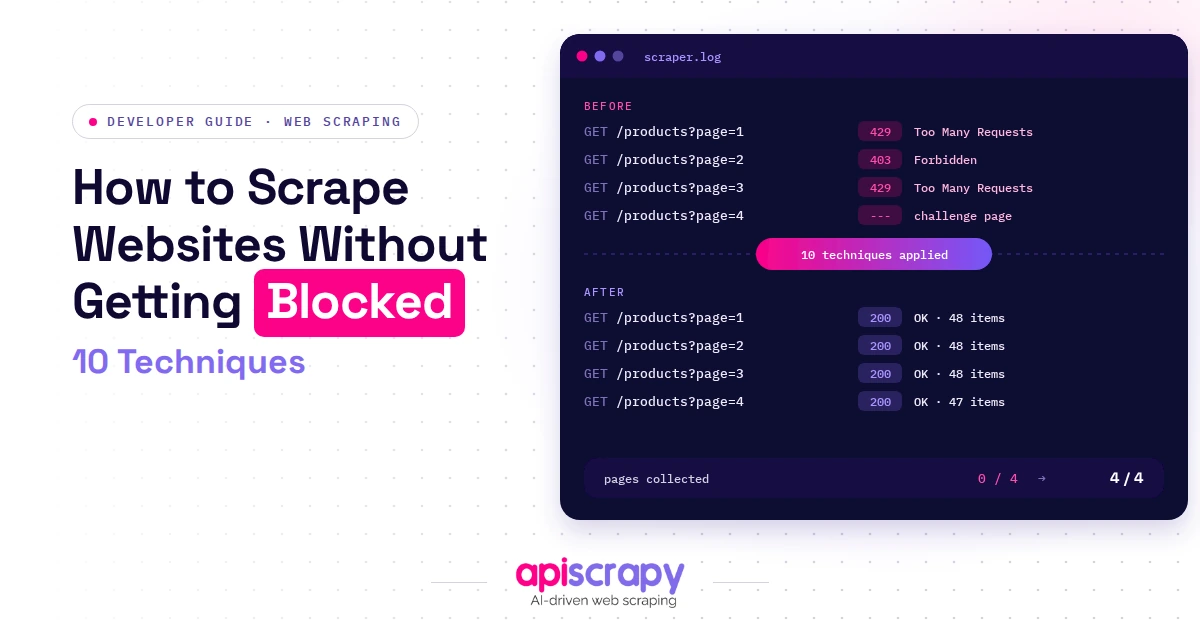
Blocks usually appear as HTTP 429 errors, the “Sign in to confirm you’re not a bot” message, or empty results. The cause is almost always request rate or IP reputation, not a bug in your code.
| Error | Likely cause | Fix |
|---|---|---|
| 429 Too Many Requests | Requests too fast | Slow down, add backoff |
| “Sign in to confirm you’re not a bot” | Flagged or cloud IP | Residential proxy, PO Token, or managed service |
| 403 quotaExceeded | Daily API quota used | Cache results, use cheaper calls |
| Empty comments | Content not rendered | Use a headless browser |
Use Rotating Residential Proxies
A familiar story: a script runs perfectly on a laptop, then fails after deployment to a cloud server. Datacenter IPs carry weaker reputation than home connections, so YouTube challenges them sooner. Rotating residential proxies spread requests across trusted addresses, though they reduce blocks rather than remove them.
yt-dlp --proxy "http://user:pass@host:port" "https://www.youtube.com/watch?v=VIDEO_ID"Leverage Specialized Services
yt-dlp supports PO Token provider plugins, such as bgutil-ytdlp-pot-provider, that generate the tokens YouTube’s bot check expects. They solve most cases but not all, since some flagged IPs are still challenged. If maintaining that stack is not worth your time, a managed scraping service absorbs the problem.
If you use browser cookies, keep the cookie file out of version control.
Simulate Real User Behavior
Humans do not request 50 pages a second. Add randomized delays, back off exponentially after a 429, reuse sessions, and cache what you have already fetched.
<span data-teams="true"><code class="language-python">import random, time, requests</code></span>

def fetch(url, headers, retries=5):

for attempt in range(retries):

r = requests.get(url, headers=headers, timeout=30)

if r.status_code == 429:

time.sleep(2 ** attempt + random.uniform(0.5, 2))

continue

r.raise_for_status()

return r

raise RuntimeError("Still rate limited after retries")
Handle Dynamic Content via Headless Browsers
Comments and some listings load as the page scrolls, so a plain HTTP request returns very little. A headless browser such as Playwright renders the page, scrolls, and waits for elements before extraction. Selectors on YouTube change often, so add a check that alerts you when fields come back empty.
Is It Legal to Scrape YouTube?
YouTube’s terms of service prohibit accessing the service by automated means without permission, so scraping carries contractual and account risk even for public data. The official API is the sanctioned route, with its own policies on how you store and aggregate data.
Practical rules to follow:
- Collect public data only
- Skip personal details
- Do not download video files
- Rate limit your requests
This is general information, not legal advice. Consult qualified counsel before building a commercial data product.
Looking for the Best YouTube Scraper? See Why APISCRAPY Stands Out
APISCRAPY is a managed web scraping and Data-as-a-Service provider built for teams that want structured YouTube data delivered, not scrapers to maintain.
It handles collection, proxy rotation, block handling, and delivery, so your engineers stop chasing 429 errors, bot checks, and broken selectors. It fits teams running market research, influencer discovery, sentiment analysis, or competitor tracking on recurring, large-scale YouTube data.
Why teams choose it:
- Structured output: clean data ready for analysis, with no parsing code to maintain.
- Block handling included: proxies, bot checks, and retries are managed, so collection keeps running when YouTube changes.
- Scheduled delivery: recurring pulls arrive on your schedule, so dashboards and models stay current.
Start Building Your Web Crawler Today
Conclusion
Scraping YouTube comes down to matching the method to your volume. Use the official API for small, structured pulls, a managed scraping service for scale, and a no-code service for fast exports.
Plan for blocks from day one with backoff, caching, and clean IPs, and keep your collection to public data within YouTube’s rules.
If maintaining scrapers is not where your team should spend its time, book a demo with APISCRAPY and get structured YouTube data delivered on schedule.
FAQs
Can I scrape YouTube videos?
Yes, public metadata, comments, and transcripts can be collected. Downloading the video files themselves breaks YouTube's terms.
Does YouTube allow data scraping?
Its terms prohibit automated access without permission, so the official API is the safest route. Consult counsel before commercial use.
Which scraper is the best for scraping YouTube data?
It depends on scale: the official API for small jobs, yt-dlp for DIY work, and APISCRAPY for managed, recurring, large-scale collection.
Is YouTube coded in Python?
Largely in its early years, according to Python creator Guido van Rossum, though it now runs on a mix of languages.
What can the YouTube Data API be used for?
It retrieves public video, channel, playlist, and comment data, and manages playlists and uploads, all within your daily quota.