How to Scrape Zillow Data with Python
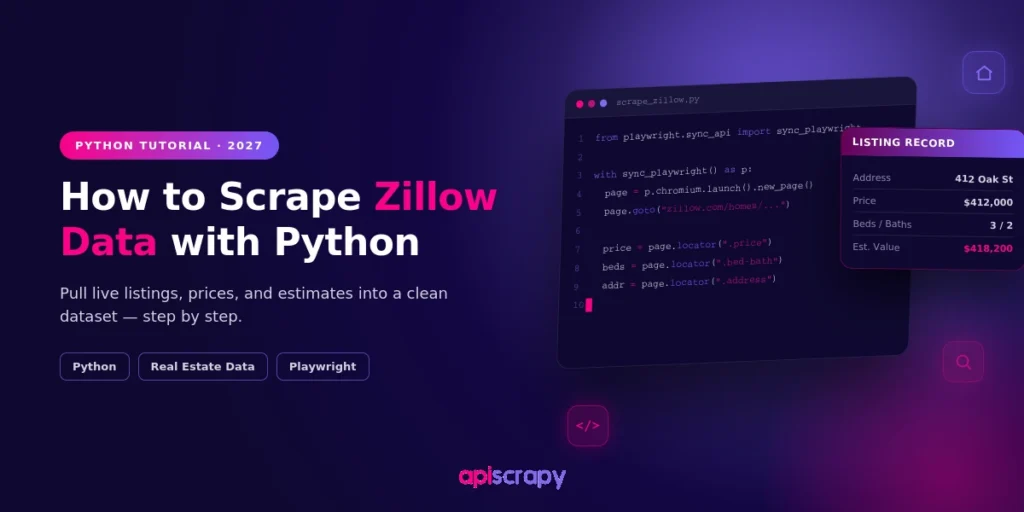
Zillow contains a wealth of real estate information, from property prices and historical trends to comparable homes, inventory, and market signals that can help investors, agents, analysts, and PropTech teams make smarter decisions. Zillow Data Scraping may seem like a straightforward way to collect this information at scale, but the reality is more complex: Zillow restricts automated scraping and provides official data resources, including downloadable market datasets and APIs for certain use cases. Understanding the available data sources, technical limitations, and permitted methods before building a collection workflow can save valuable development time and prevent a promising real estate data project from becoming a constant cycle of broken scripts and maintenance.
The core method: Zillow pages run on Next.js, so the full listing record sits in one __NEXT_DATA__ script tag. Read that hidden JSON with requests and BeautifulSoup instead of chasing fragile HTML class names.
Fields you can pull: Price, Zestimate, beds, baths, square footage, and days on Zillow, exported to CSV with pandas.
Protect your script: Set a browser-like User-Agent, add delays between requests, and log 403 or CAPTCHA responses. Print the JSON keys before hardcoding a path, since Zillow changes them periodically.
Know the ceiling: At hundreds or thousands of listings a week, IP rate limits, bot detection, and schema changes turn a working script into a standing maintenance job.
Make it LLM-ready: Flatten every listing into one schema, standardize units, remove duplicates, geocode addresses, and chunk records with metadata for RAG and semantic search.
Past one-off pulls? A managed service like APISCRAPY handles proxy rotation, CAPTCHAs, and schema upkeep, and delivers clean, structured Zillow data.
Zillow lists more homes than any other real estate site in the U.S., which makes it the obvious first stop when you need pricing history, comps, or market trends at scale.
The catch: Zillow doesn’t hand that data over through a public API, and its pages are built to resist casual scraping. This guide walks through a working Python method for pulling structured listing data from Zillow, and what to do once that method hits its ceiling.
Why Scrape Zillow Data Using Python?
Zillow’s real estate data, including listing price, price history, Zestimate, days on market, tax records, and neighborhood metrics, feeds decisions for investors, appraisers, agents, and PropTech teams building their own tools. None of that is available as a clean, downloadable export. It lives inside individual listing pages and search results, which means someone (or something) has to pull it out programmatically.
Manually copying data from listing pages doesn’t scale past a handful of properties, and Zillow doesn’t offer bulk export to most users. Python turns that manual process into a repeatable pipeline: point it at a set of listings or a search URL, and it returns structured rows you can drop into a spreadsheet, a database, or a model.
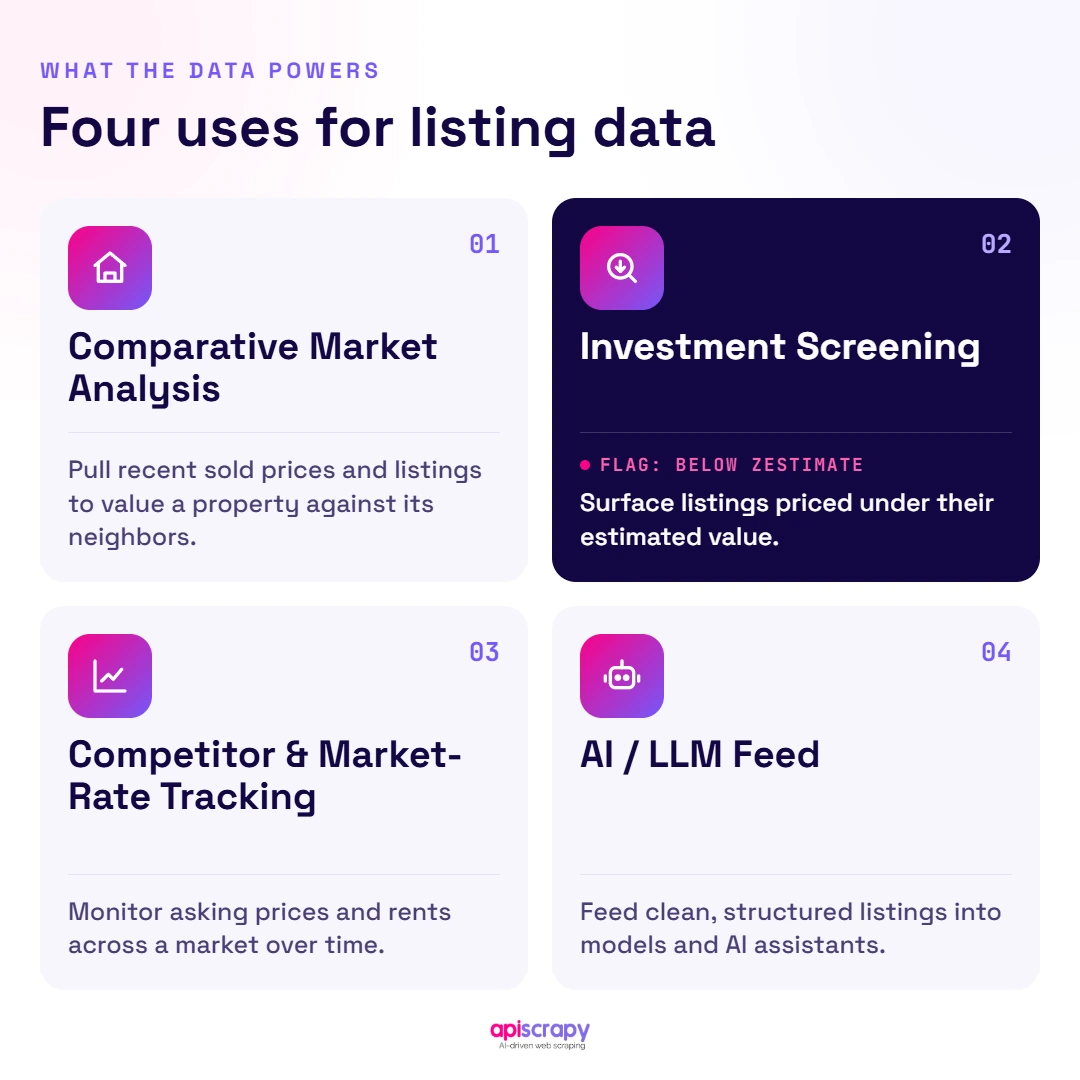
Common uses for scraped Zillow data:
- Comparative market analysis (CMA) for agents and appraisers
- Investment screening: flagging listings priced below their Zestimate
- Competitor and market-rate tracking for PropTech and rental platforms
- Feeding cleaned listing data into AI or LLM tools for search, chat, or analysis
Let’s Scrape Zillow Data Using Python!
The method below reads Zillow’s own embedded page data instead of fighting unstable HTML class names. It works for individual listing pages and, with a small change to the request target, for search result pages too. Three steps: set up your environment, understand where the data actually lives, then write the scraper.
Step 1: Install the Necessary Libraries
You need three things: something to fetch the page (requests), something to parse it and pull structured pieces out (beautifulsoup4), and something to hold the result once you have it (pandas). Install all three inside a virtual environment so this project’s dependencies don’t collide with anything else on your machine.
<code class="language-bash">python -m venv zillow-scraper</code>
<code class="language-bash">source zillow-scraper/bin/activate   # on Windows: zillow-scraper\Scripts\activate</code>
<code class="language-bash">pip install requests beautifulsoup4 pandas
A virtual environment matters here for a practical reason: Zillow updates the underlying data structure periodically, and you don’t want a library version mismatch to be the reason your scraper silently breaks.
Step 2: Understand the “Hidden JSON” Trick
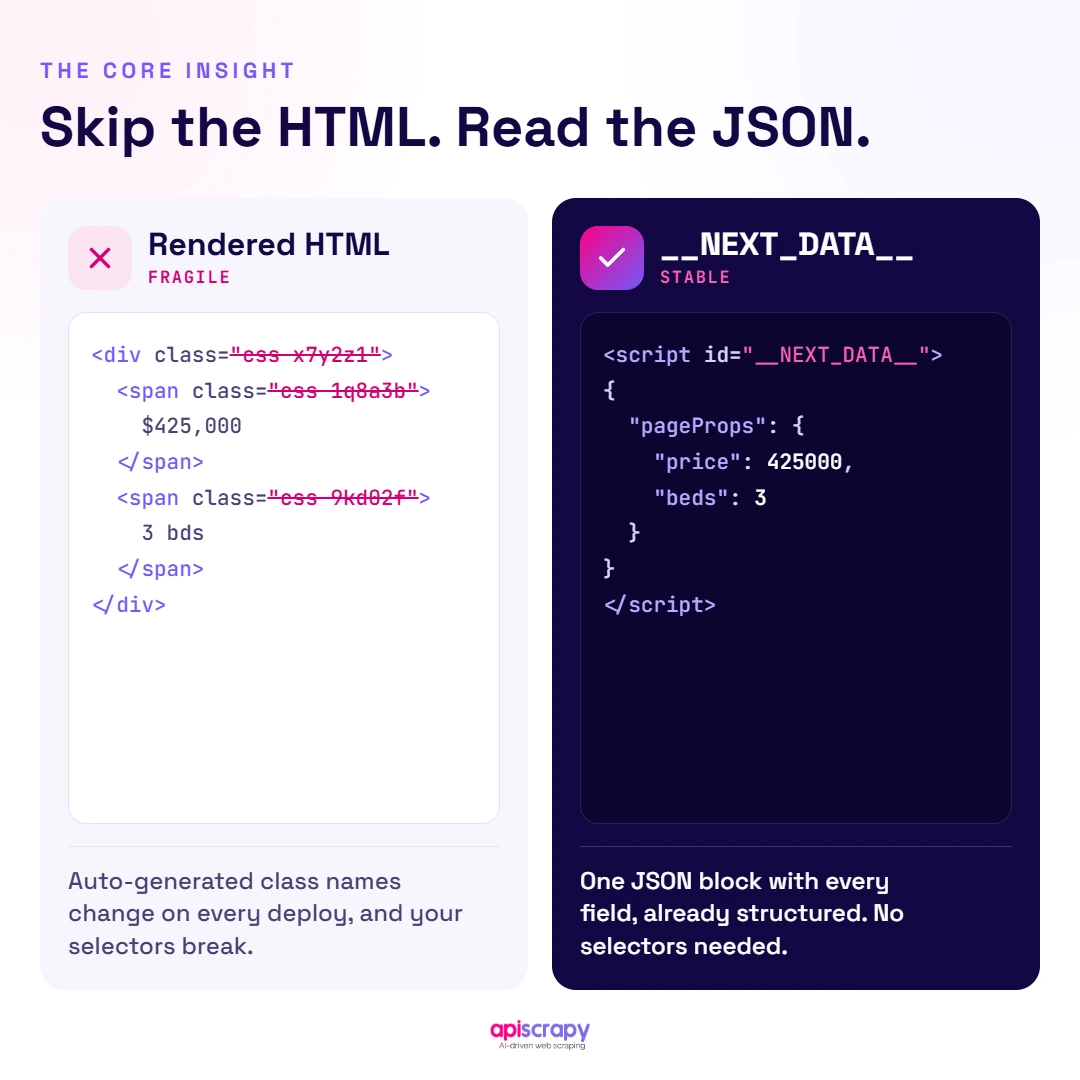
Zillow’s listing pages are built on Next.js, and Next.js applications embed the exact data used to render the page inside a single <script> tag with the id __NEXT_DATA__. Instead of parsing dozens of <div> elements and hoping their class names don’t change next week, you can read that one script tag and get a clean, typed JSON object, the same data Zillow’s own front end reads.
This matters because Zillow’s visible HTML changes often (layout tests, new ad placements, renamed components), while the underlying data shape stays far more stable. Reading the hidden JSON is noticeably more resilient than scraping visible text.
import json

import requests

from bs4 import BeautifulSoup

headers = {

"User-Agent": (

"Mozilla/5.0 (Windows NT 10.0; Win64; x64) "

"AppleWebKit/537.36 (KHTML, like Gecko) "

"Chrome/125.0 Safari/537.36"

)

}

url = "https://www.zillow.com/homedetails/example-address/12345678_zpid/"

response = requests.get(url, headers=headers, timeout=15)

soup = BeautifulSoup(response.text, "html.parser")

next_data_tag = soup.find("script", id="__NEXT_DATA__")

if next_data_tag:

page_data = json.loads(next_data_tag.string)

else:

print("Could not locate embedded JSON. Page may have returned a block page.")
From here, the listing details sit nested a few levels down inside page_data, usually under a props/pageProps path that carries the property record. The exact key names shift periodically, so print the top-level keys first and walk down to confirm the current path before hardcoding it into a production script.
Step 3: Python Scraper Implementation
A one-off script that fetches a single page is a good proof of concept, but a usable scraper needs four more things: logic to pull the specific fields you care about, pagination across search results, delays between requests, and handling for the blocks Zillow will eventually throw at you.
import json

import time

import requests

import pandas as pd

from bs4 import BeautifulSoup

HEADERS = {

"User-Agent": (

"Mozilla/5.0 (Windows NT 10.0; Win64; x64) "

"AppleWebKit/537.36 (KHTML, like Gecko) "

"Chrome/125.0 Safari/537.36"

),

"Accept-Language": "en-US,en;q=0.9",

}

def fetch_listing(url):

response = requests.get(url, headers=HEADERS, timeout=15)

if response.status_code == 403:

print(f"Blocked (403) on {url}. Back off and retry with a fresh session/proxy.")

return None

soup = BeautifulSoup(response.text, "html.parser")

tag = soup.find("script", id="__NEXT_DATA__")

if not tag:

print(f"No embedded JSON found on {url}. Likely a CAPTCHA page.")

return None

return json.loads(tag.string)

def extract_fields(page_data):

# Walk the known path to the property record; adjust if Zillow changes the shape.

try:

cache = page_data["props"]["pageProps"]["componentProps"]["gdpClientCache"]

first_key = next(iter(cache))

record = cache[first_key]["property"]

except (KeyError, StopIteration, TypeError):

return None

return {

"address": record.get("streetAddress"),

"price": record.get("price"),

"zestimate": record.get("zestimate"),

"beds": record.get("bedrooms"),

"baths": record.get("bathrooms"),

"sqft": record.get("livingArea"),

"days_on_zillow": record.get("daysOnZillow"),

}

def scrape_listings(urls, delay_seconds=4):

rows = []

for url in urls:

data = fetch_listing(url)

if data:

fields = extract_fields(data)

if fields:

rows.append(fields)

time.sleep(delay_seconds) # be polite; also reduces block risk

return pd.DataFrame(rows)

if __name__ == "__main__":

listing_urls = [

"https://www.zillow.com/homedetails/example-1/11111111_zpid/",

"https://www.zillow.com/homedetails/example-2/22222222_zpid/",

]

df = scrape_listings(listing_urls)

df.to_csv("zillow_listings.csv", index=False)

print(df.head())
Two things will eventually happen once you run this at real volume: Zillow will rate-limit or CAPTCHA your IP, and the JSON key path will shift after a site update. Neither means the method is broken; it means single-machine scraping has a ceiling. That’s exactly where a managed service like APYSCRAPY earns its keep, since it handles rotating IPs, solving JavaScript and CAPTCHA challenges, and re-mapping the schema whenever Zillow changes it.
How to Turn Zillow Pages into LLM-Ready Data
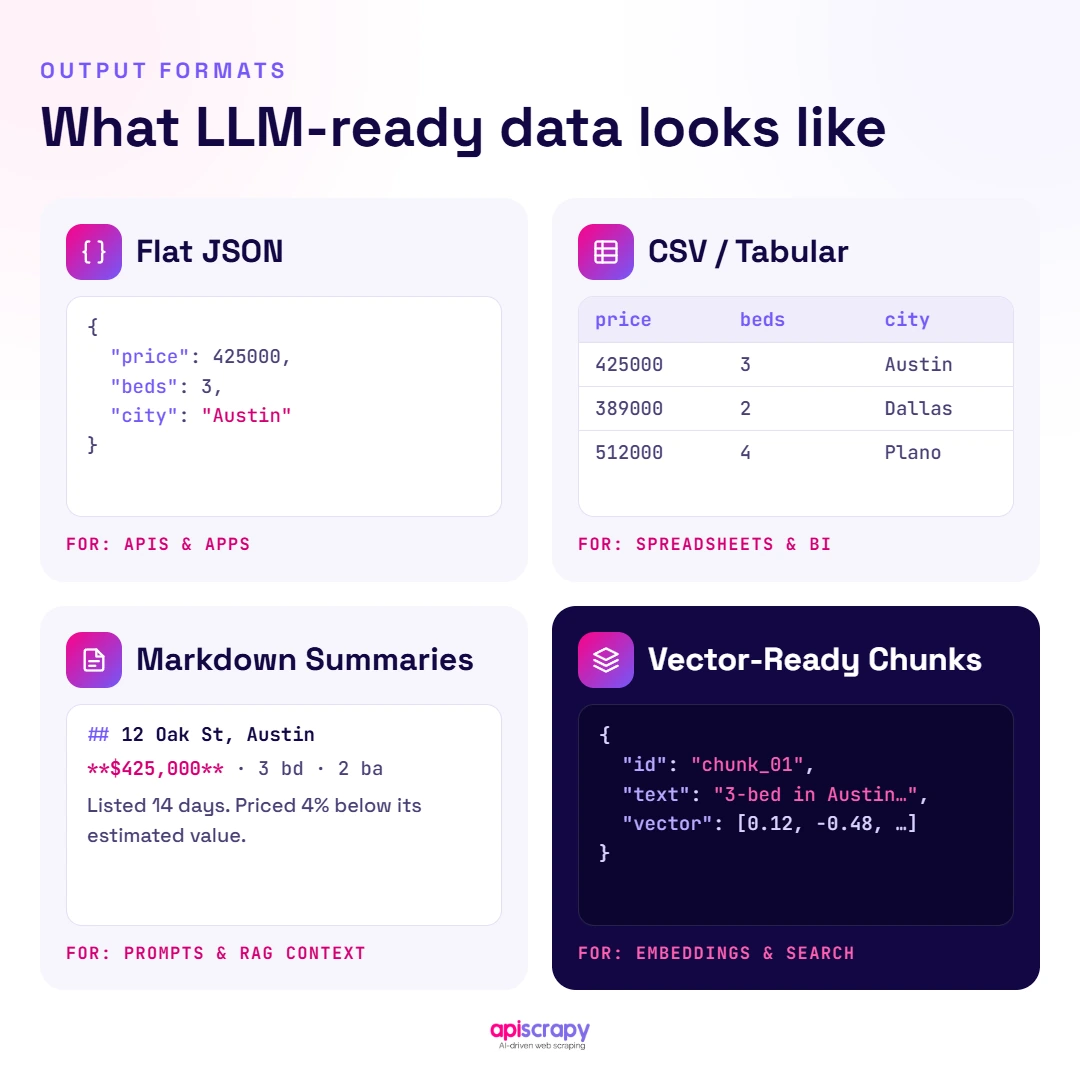
Raw scraped JSON isn’t automatically useful to an AI system. “LLM-ready” data means records that are cleaned, consistently structured, and chunked in a way a model can retrieve and reason over, not a dump of every nested field Zillow happens to return.
Getting there from a scraper’s raw output takes a few concrete passes: normalizing every listing into the same flat schema (address, price, beds, baths, sqft, status), standardizing units and formats (square feet vs. square meters, “$450,000” vs. 450000), removing duplicate listings that surface across multiple search pages, and geocoding addresses so location-based queries actually work.
Formats that work well for feeding Zillow data into AI pipelines:
- Flat, structured JSON: one clean object per listing, with consistent field names
- CSV or tabular exports for BI tools and quick analysis
- Markdown or plain-text summaries per listing, for retrieval-augmented generation (RAG)
- Vector-ready chunks: short, self-contained text blocks with metadata attached, for embedding and semantic search
This is the step most DIY scrapers skip, and it’s the difference between having a CSV of listings and having data a chatbot or analytics model can actually use. APYSCRAPY delivers Zillow data already in this shape, so teams building AI-driven property search, valuation, or comp tools can skip the cleanup work entirely.
Start Building Your Web Crawler Today
Conclusion: Choose the Best Zillow Scraper for Your Needs
The Python method above works, and it’s a legitimate way to learn how Zillow’s data is structured or to pull a small, one-off dataset. requests, BeautifulSoup, and the hidden __NEXT_DATA__ script tag get you real listing fields without fighting brittle HTML selectors.
Where it stops working is scale and reliability. Once you need hundreds or thousands of listings a week, Zillow’s bot detection, IP-based rate limits, and periodic layout changes turn a working script into an ongoing maintenance job, one that needs re-fixing every time Zillow ships a change.
That’s the gap a managed service closes. APYSCRAPY handles the proxy rotation, CAPTCHA and JavaScript challenges, and schema maintenance, and delivers Zillow data already cleaned and structured, including LLM-ready formats, so your team spends time on analysis instead of scraper upkeep.
Book a Demo with APYSCRAPY to see structured, ready-to-use Zillow data delivered straight into your pipeline, without maintaining a scraper yourself.
Frequently Asked Questions
How do I scrape Zillow listings, prices, addresses, and property details with Python?
Fetch the page with requests, then parse the __NEXT_DATA__ script tag with BeautifulSoup to pull structured fields like price, address, beds, and baths directly from the embedded JSON.
How can I handle Zillow's dynamic pages when scraping with Python?
Most "dynamic" content is actually server-rendered JSON sitting inside the page, so requests plus BeautifulSoup handles it without a browser. Reserve Selenium or Playwright for pages that truly require JavaScript execution.
How do I scrape thousands of Zillow listings efficiently with Python?
Distribute requests across rotating residential proxies with realistic delays between calls. A single IP making sequential requests will get rate-limited long before you reach that scale.
Why does my Python Zillow scraper return a CAPTCHA or 403 error?
Zillow's bot detection flags repeated requests from one IP, missing headers, or non-browser-like timing. Rotating IPs and adding delays reduces this, but rarely eliminates it at real scale.
Can I scrape Zillow data without using Selenium or a browser?
Yes, for most listing and search pages. Requests and BeautifulSoup can read the same hidden JSON a browser renders from, without launching Chrome for every page.
How do I export scraped Zillow data from Python to CSV or JSON?
Use df.to_csv("zillow_data.csv", index=False) for CSV, or json.dump() for JSON. Choose JSON when the data feeds a database, an API, or an AI pipeline.