Structured vs. Unstructured Data: Core Differences, Examples, Pros & Cons
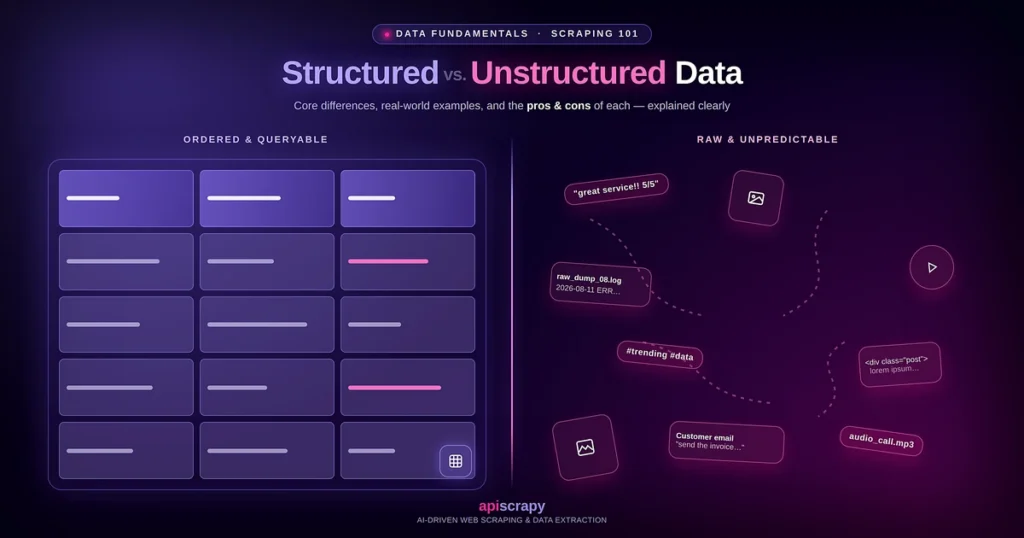
Every business is drowning in data, and most of it never arrives in the same shape twice. A customer’s rating lands in a spreadsheet, their frustration lives in an email, and their real opinion hides in a voice note or a review posted at midnight. Understanding structured vs unstructured data is what turns that scattered pile into something you can store, analyze, and act on with confidence.
This guide breaks down structured, unstructured, and semi-structured data with real examples, practical pros and cons, and a side-by-side comparison.
How this guide was put together:
- Reviewed established data management standards and definitions used across the industry
- Examined real-world datasets across formats, from relational databases to raw text and media files
- Tested common collection and processing methods across different business use cases
| Aspect | Structured Data | Semi-Structured Data | Unstructured Data |
| Format | Fixed schema, rows and columns | Tagged but flexible, no strict schema | No fixed format |
| Examples | Spreadsheets, CRM records, financial ledgers | JSON, XML, emails with metadata | Text docs, images, video, audio, PDFs |
| Storage | Relational databases (MySQL, PostgreSQL, Oracle) | NoSQL databases (MongoDB, Couchbase) | Data lakes, object storage (S3, Azure Blob) |
| Analysis Tools | SQL, BI tools (Tableau, Power BI), Excel | JSON/XML parsers, XQuery, NoSQL queries | NLP, machine learning, computer vision, OCR |
| Ease of Analysis | High, query-ready | Moderate, needs parsing | Low without processing |
| Best For | Financial reporting, inventory tracking | API integrations, web scraping output | AI training, sentiment analysis |
| Main Pro | Easy to query and validate | Flexible without full schema redesign | Captures tone, sentiment, real context |
| Main Con | Rigid, hard to capture nuance | Still needs parsing before use | Hard to search without specialized tools |
The choice between these data types is usually not about which one is better. It depends on what you need the data to accomplish.
APISCRAPY is referenced later in this article as an example of a managed data collection service. This is included transparently and does not affect the comparisons above it.
Whether you manage a small team or a large data operation, the goal here is simple: help you choose the right data approach for your actual use case, not just the popular one.
What Is Structured Data?
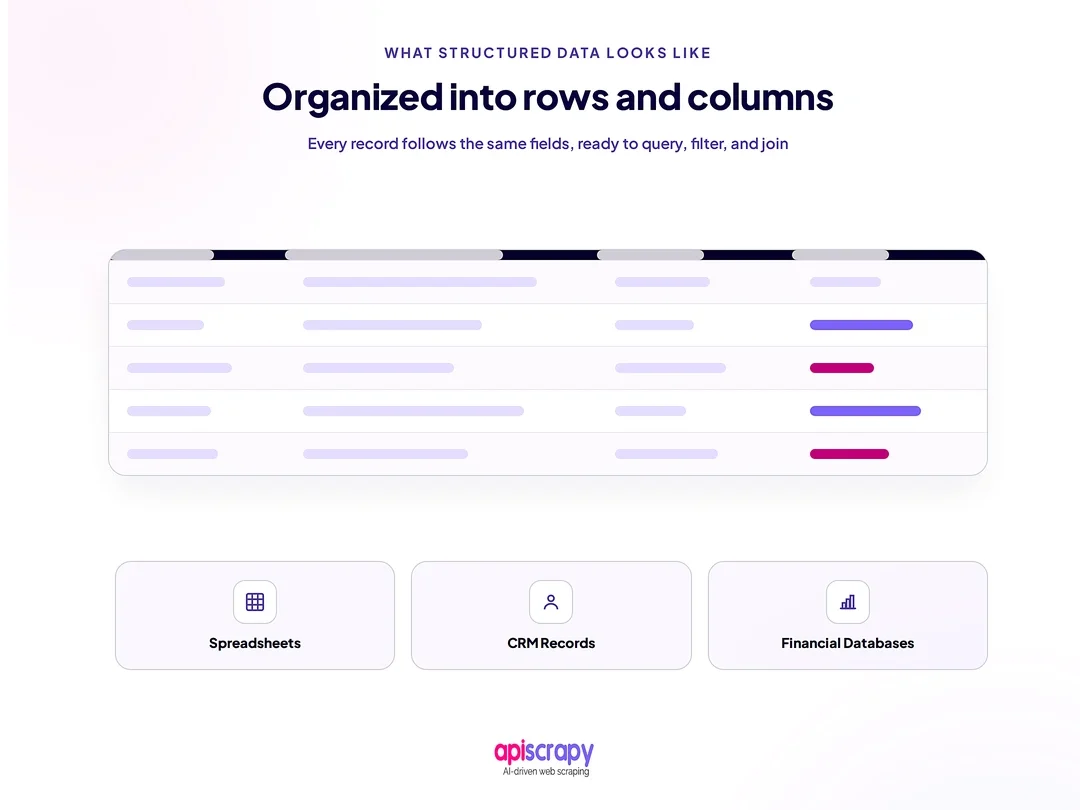
Structured data is information organized into a fixed, predictable format, typically rows and columns, so it can be searched and analyzed with standard service. It follows a defined schema, meaning every entry follows the same fields and data types.
This format is built for systems that need consistency, such as relational databases, accounting service, and CRM services. Finance teams, analysts, and operations staff rely on it daily.
In practice, structured data powers dashboards, financial reports, inventory systems, and customer records. It is the backbone of most traditional business intelligence work because it is easy to query and cross-reference.
Pros of Structured Data
- Easy to query using standard SQL service, which speeds up reporting and daily analysis work
- Works seamlessly with existing BI services, spreadsheets, and analytics dashboards without extra setup
- Highly reliable for calculations, since fixed data types prevent formatting errors and mismatches
- Simple to validate and clean because every field follows the same expected structure
- Scales well for transactional systems like order processing and financial record keeping
Cons of Structured Data
- Rigid schema makes it difficult to capture information that does not fit predefined fields
- Poor fit for messy, real-world inputs like customer feedback or open-ended survey responses
- Expensive and time-consuming to restructure once the schema is set and data has scaled
- Limited ability to capture nuance, sentiment, or context behind the numbers
- Requires upfront planning, which slows down teams working with fast-changing data sources
What Is Unstructured Data?
Unstructured data is information that does not follow a predefined format or schema, such as text, images, video, and audio. It cannot be stored neatly in rows and columns without significant processing first.
This type of data comes from sources like customer reviews, support tickets, social media posts, emails, and recorded calls. Data scientists, AI teams, and content analysts typically work with it most.
In practice, unstructured data gets processed through natural language processing, image recognition, OCR, or manual tagging before it becomes usable. It is an important source for modern AI and machine learning applications.
Pros of Unstructured Data
- Captures richer context than structured formats, including tone, sentiment, and customer intent
- Serves as the primary training source for AI models, chatbots, and recommendation engines
- Reflects real, unfiltered customer language, which surfaces insights structured surveys often miss
- Supports pattern discovery across large volumes of text, images, or audio recordings
- Adapts easily to new data types without needing a rigid schema redesign first
Cons of Unstructured Data
- Harder to search, filter, or query without specialized service or trained models
- Requires significantly more processing power and storage compared to structured formats
- Extraction accuracy varies, especially with handwriting, accents, or ambiguous phrasing
- Difficult to standardize across sources, since formats and quality differ widely
- Analysis often needs specialized skills in NLP, computer vision, or data engineering
What Is Semi-Structured Data?
Semi-structured data sits between the two, containing some organizational tags or markers without following a strict, fixed schema. It offers more flexibility than structured data while retaining more order than fully unstructured formats.
Common examples include JSON files, XML documents, and emails that carry metadata like sender, subject, and timestamp. These formats are widely used in APIs, web data exchange, and log files.
Teams typically use semi-structured data when building integrations between systems or when scraping web content that includes both readable text and embedded metadata. It offers a practical middle ground for fast-moving projects.
Structured vs. Unstructured Data: A Side-by-Side Comparison
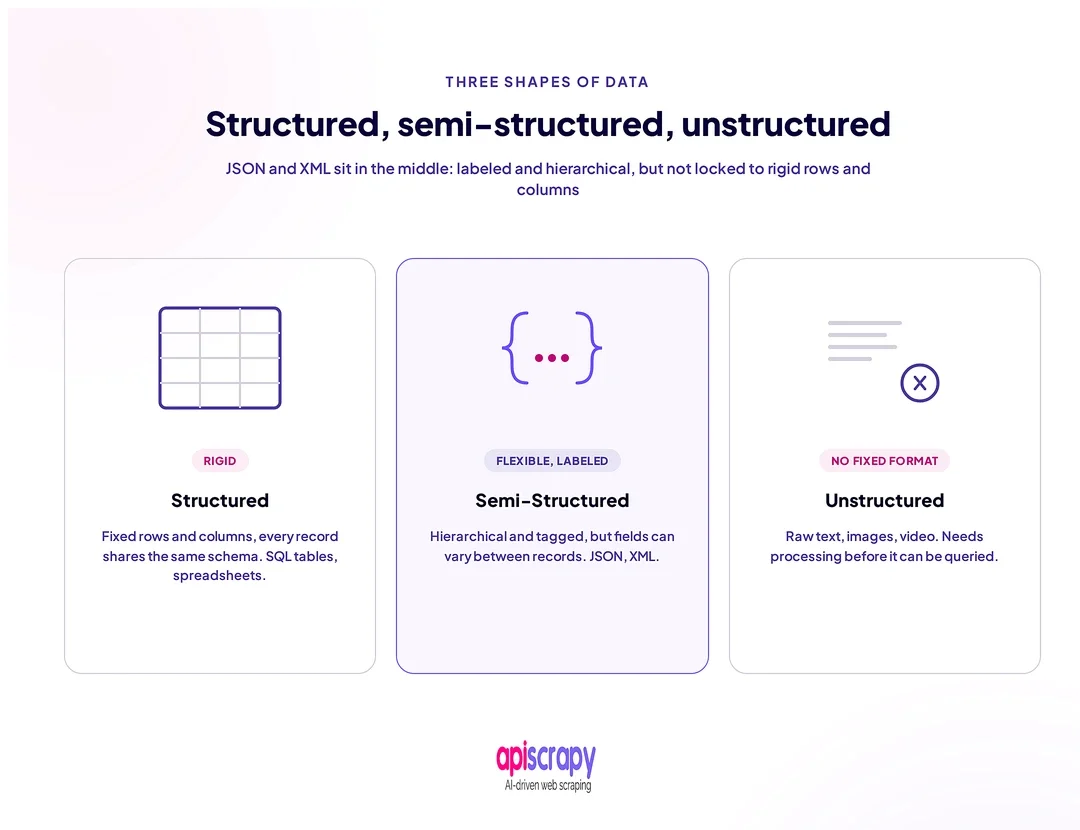
The main difference is how much predefined organization the data has.
| Data Type | Format & Examples | Typical Storage | Analysis | Ease of Analysis | Best Suited For |
|---|---|---|---|---|---|
| Structured | Fixed schema, rows and columns. Spreadsheets, CRM records, financial ledgers, transaction logs | Relational databases such as MySQL, PostgreSQL, Oracle | SQL queries, BI tools, Excel | High, query-ready | Financial reporting, inventory tracking, transactional systems |
| Semi-Structured | Tagged but flexible. JSON, XML, emails with metadata, YAML configuration files | NoSQL/document databases, document stores, files | JSON/XML parsers, NoSQL query languages, XQuery | Moderate, needs parsing | API data exchange, system integrations, web data |
| Unstructured | No fixed format. Text documents, images, video, audio, social posts, PDFs, emails | Data lakes and object storage such as Amazon S3 and Azure Blob | NLP, machine learning, computer vision, OCR | Low without processing | AI model training, sentiment analysis, content moderation |
The important difference
Structured data is generally easiest to query because the schema is already defined.
Semi-structured data provides more flexibility, but applications usually need to parse the data before using it.
Unstructured data contains the richest variety of information, but extracting useful fields or meaning from it usually requires additional processing.
For example, consider customer feedback:
- Structured: rating = 4, product_id = 12345
- Semi-structured: a JSON object containing rating, product_id, comment, and additional metadata
- Unstructured: the customer’s full review text, an attached image, or a recorded voice message
In real-world data platforms, these formats often work together rather than existing independently.
How APISCRAPY Helps You Collect Structured and Unstructured Data
APISCRAPY is best suited for teams that need both structured and unstructured web data at scale, without building and maintaining scraping infrastructure in-house. It works well for research, pricing, and market intelligence teams handling multiple data formats at once.
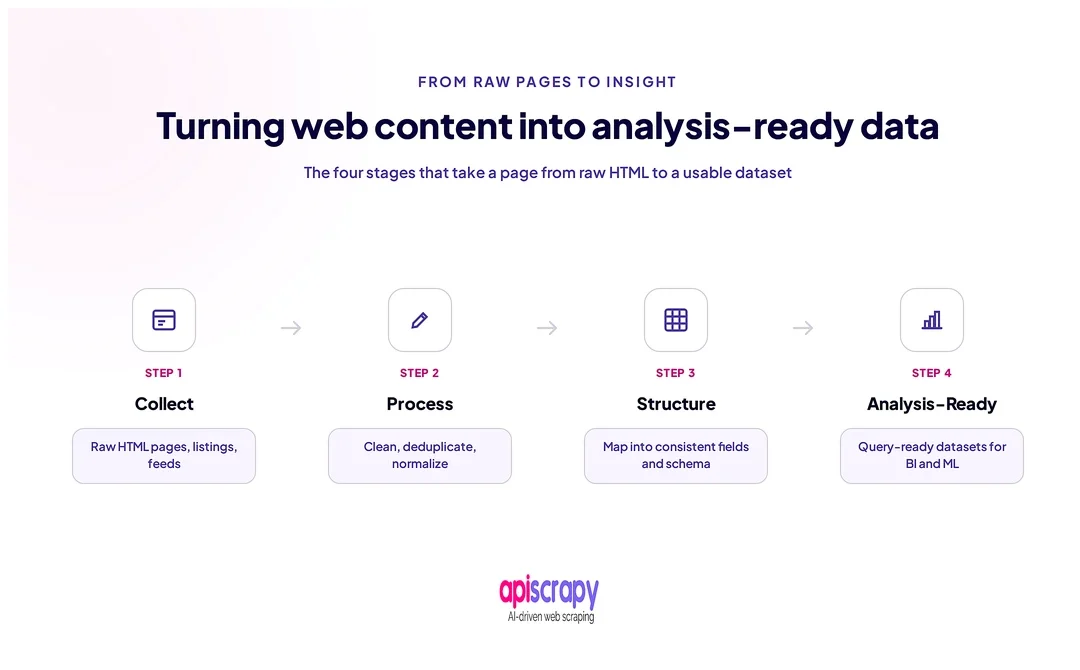
Its core strength is managed collection across formats, pulling raw text, images, and page data, then converting it into clean, structured output ready for direct use. This removes the manual cleanup step that usually slows teams down.
The service is built to handle the transition from raw, unstructured web content to usable, structured datasets through automated parsing and validation. Teams do not need separate service for each data type.
This approach fits research teams, pricing analysts, and growing data operations that need reliable data without a dedicated engineering team managing scrapers. If your team is scaling past manual data collection, a managed service like APISCRAPY is worth evaluating alongside your current process.
Start Building Your Web Crawler Today
Conclusion
Structured, unstructured, and semi-structured data each serve different purposes, and none is inherently better than the others. The right choice depends on your use case, whether that is financial reporting, AI model training, or system integrations.
Most growing teams end up working with all three formats at once, which is why understanding their differences matters more than picking a single winner. Start by identifying what you are trying to answer with your data, then match the format and service to that goal.
If your team is ready to move beyond manual collection, book a demo with APISCRAPY to see how a managed service can handle both structured and unstructured data, saving significant time and engineering effort.
FAQs
1. What is the main difference between structured and unstructured data?
Structured data follows a fixed schema and fits neatly into rows and columns, while unstructured data has no predefined format and includes things like text, images, video, and audio.
Structured data can generally be queried directly using tools such as SQL, while unstructured data usually needs additional processing before it can be analyzed.
2. Where is structured data stored vs. unstructured data (data warehouse vs. data lake)?
Structured data typically lives in data warehouses and relational databases, while unstructured data is stored in data lakes or object storage built to handle raw, varied file types.
3. What is semi-structured data, and how is it different from both?
Semi-structured data, like JSON or XML, includes tags or metadata for partial organization without a strict schema, making it more flexible than structured data but more searchable than unstructured data.
4. Why is unstructured data harder to analyze, and what service are needed (AI, NLP, ML)?
Unstructured data lacks a fixed format, so applications usually need additional processing to extract useful information.
Depending on the data, this may involve natural language processing, machine learning, computer vision, OCR, or other specialized processing techniques to identify patterns, sentiment, entities, or meaning.
5. What are real-world examples of structured vs. unstructured data?
Structured data includes spreadsheets, CRM records, financial ledgers, inventory records, and transaction logs.
Unstructured data includes customer reviews, social media posts, support tickets, recorded calls, images, videos, and other free-form content.
Semi-structured examples include JSON API responses, XML documents, application logs, and emails containing metadata.