Static vs. Dynamic Websites: Main Differences in Web Scraping
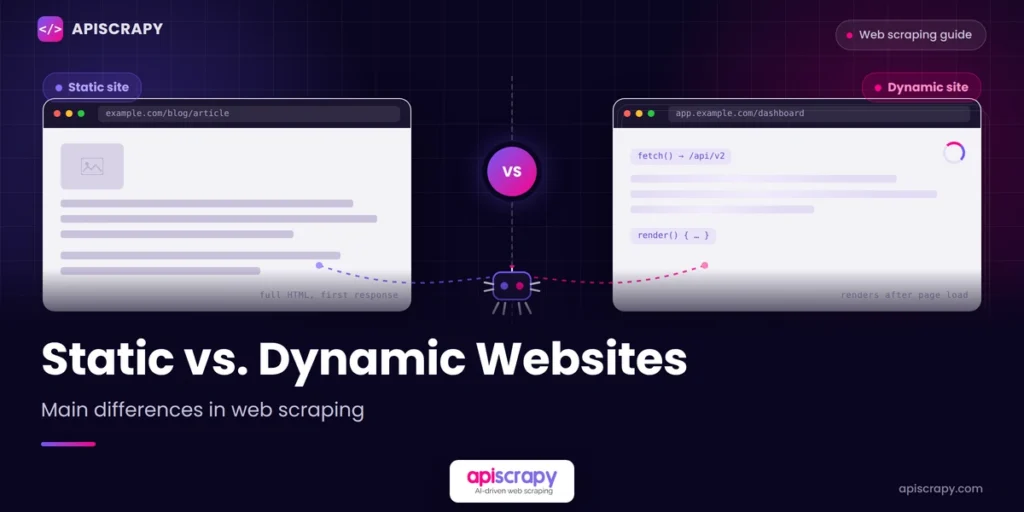
Every web scraping project reaches the same critical fork sooner or later: Static vs Dynamic. Is the data already sitting inside the page’s HTML, or does JavaScript need to run before the information appears?
- The decision comes down to sanctioned access, not preference. If a data owner offers a clean API, that’s usually the stable path. If no API exists or it withholds the fields you need, scraping is the only route in.
- Scraping trades stability for flexibility. It works on any public page and adapts to any layout, but sites redesign markup, deploy anti-bot defenses, and rate-limit aggressively, so pipelines need ongoing upkeep to stay functional.
- APIs trade control for predictability. Clean JSON, documented schemas, and SLA-backed uptime remove parsing guesswork, but you’re limited to whatever fields and rate limits the provider decides to expose.
- Legal risk depends on conduct, not the method itself. The hiQ v. LinkedIn case confirmed that scraping public data isn’t automatically illegal, but a site’s terms of service can still create breach-of-contract exposure. APIs carry their own risk through licensing and rate-limit violations.
- Most mature data teams use both. Scraping fills the gaps where no API exists, while APIs handle the sanctioned, high-stability sources. A managed platform can absorb maintenance for whichever approach a project needs.
This guide breaks down both content types in plain terms, with a practical comparison instead of theory, so you can pick the right approach the first time.
Here is how these differences were confirmed:
- Testing real pages across blogs, e-commerce catalogs, and dashboards
- Comparing raw HTML source against rendered browser output
- Reviewing common scraper failure points reported across scraping communities
APISCRAPY is referenced in this article as one working example of a managed scraping service. It is mentioned where relevant, not as the only option available.
The goal here is simple. Once you can tell static from dynamic in seconds, you stop wasting time on the wrong tool for the job.
What Is Static Content?
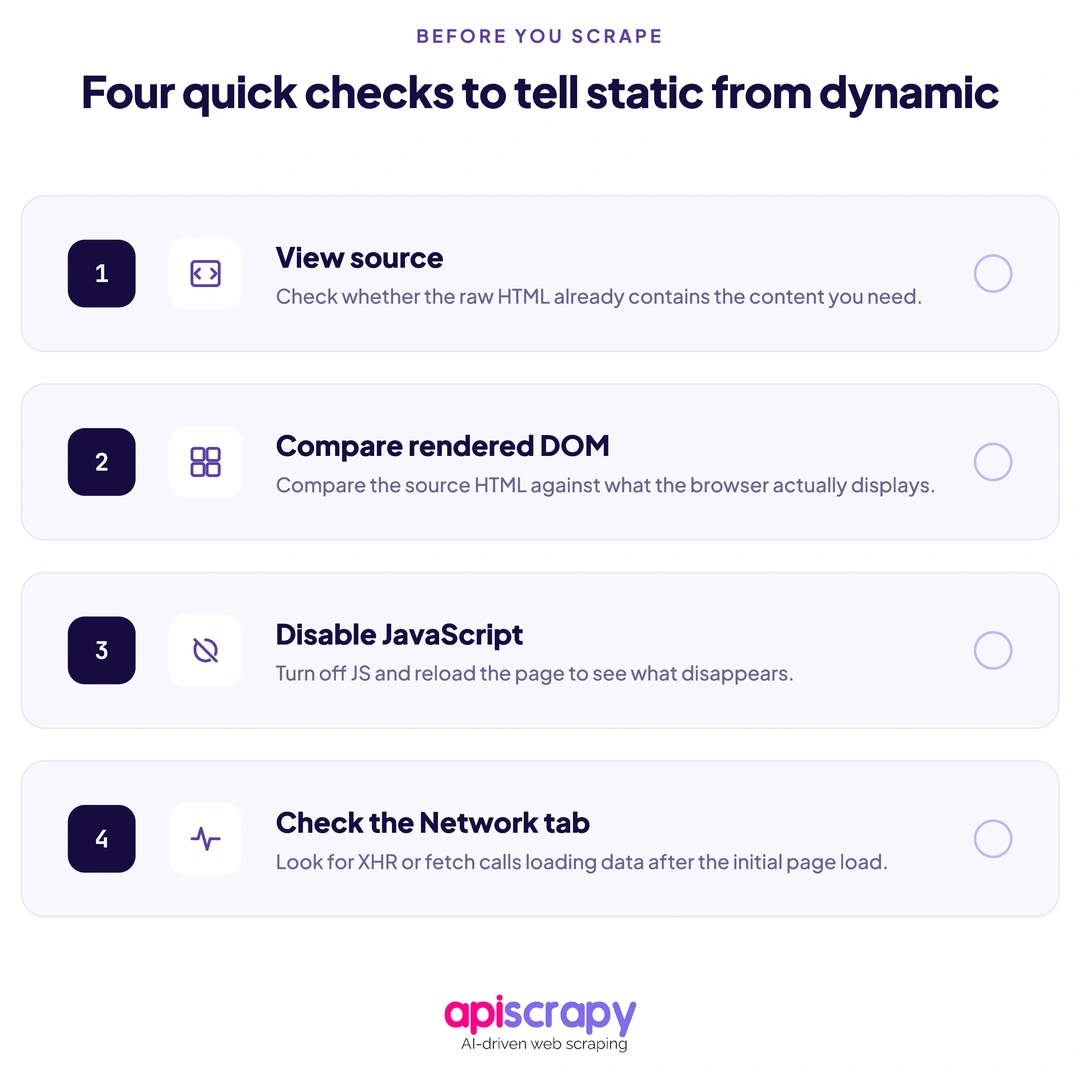
Static content is HTML that arrives fully formed from the server. Nothing needs to load or render after that first response. What you see in the page source is exactly what appears on screen.
This is common on blogs, documentation sites, older e-commerce catalogs, and most marketing pages. Anywhere content rarely changes per visitor, static delivery is usually the norm.
In practice, static pages behave the same way for every visitor and every scraper. A simple HTTP request returns the complete data, so no browser or JavaScript execution step stands between the request and the result.
What Is Dynamic Content?
Dynamic content is built or updated by JavaScript after the initial page loads. The server often sends a mostly empty HTML shell, and scripts fill it in once the browser runs them.
This shows up constantly on e-commerce listings, pricing pages, dashboards, and social feeds. Anywhere content updates per session or in real time, dynamic rendering tends to be involved.
In practice, a dynamic page’s raw HTML source can look nearly empty, sometimes just a single container element. The server sends a skeleton file, and JavaScript fills in the actual content after the page loads, which is why a plain HTTP request often returns nothing useful.
Static vs. Dynamic Content: Key Differences
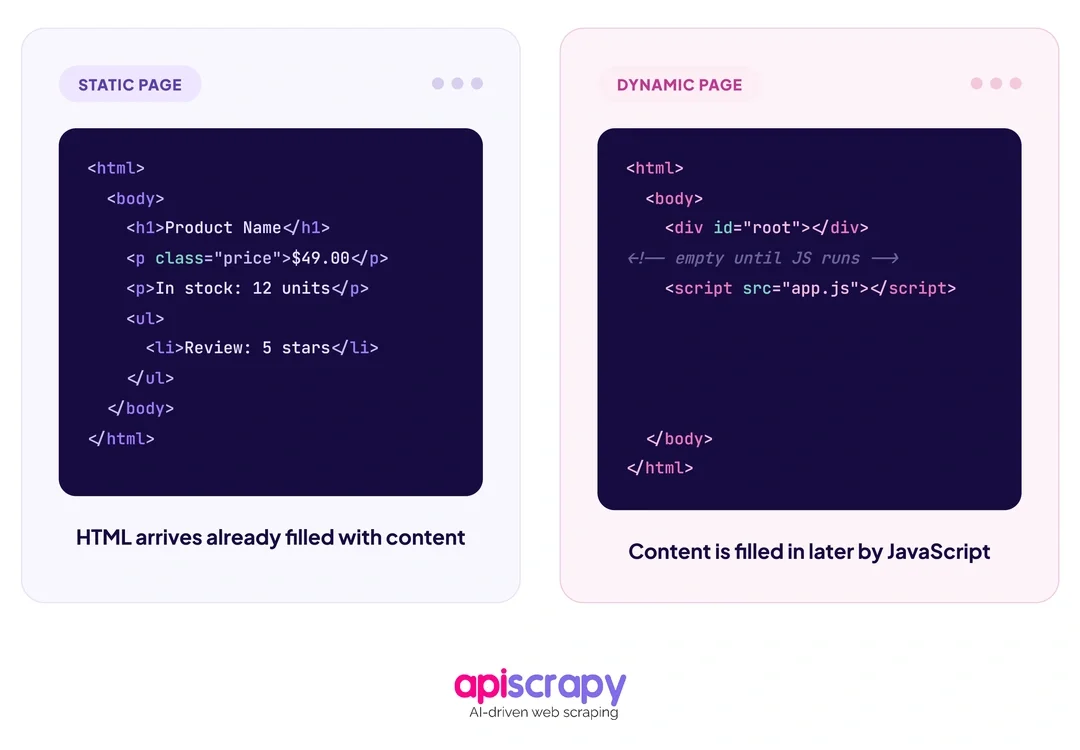
The table below lays out the practical differences that matter most once you start scraping.
| Aspect | Static Content | Dynamic Content |
|---|---|---|
| Rendering | Delivered fully formed by the server | Built or updated by JavaScript after load |
| Scraping method | HTTP request plus HTML parser | Headless browser or direct API call |
| Typical speed | Fast, minimal overhead | Slower unless a hidden JSON endpoint is used |
| Common examples | Blogs, documentation, older catalogs | E-commerce listings, dashboards, social feeds |
| Detection difficulty | Usually straightforward to confirm | View source often looks empty or incomplete |
This distinction gets debated often in developer circles, including this Static vs Dynamic discussion thread, where developers walk through the difference using real page examples.
How to Detect the Content Type?
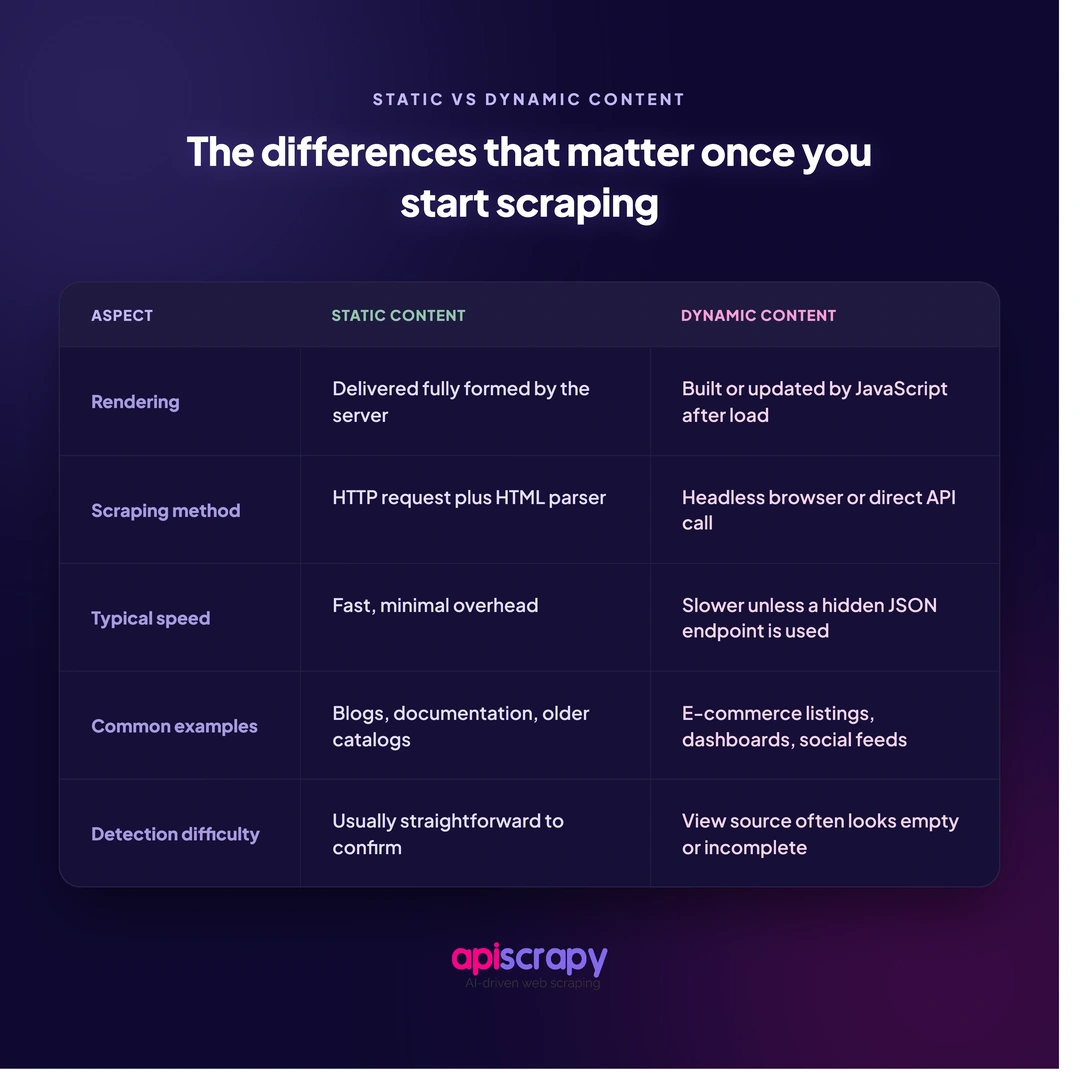
Before choosing a scraping method, confirm what you are actually dealing with. Guessing wastes time and leads to scrapers that fail silently once deployed.
A few quick checks settle it fast:
- View page source (Ctrl+U) and check whether your target data already appears in the raw HTML
- Compare that raw source against the rendered DOM in browser developer tools
- Disable JavaScript temporarily and reload the page to see what content disappears
- Check the Network tab for XHR or fetch calls that load data separately from the page
1. Scraping Static Content
Static pages are the easier win. An HTTP request combined with an HTML parser retrieves and reads the full page content in a single step.
This approach is fast and light on resources, since there is no browser to launch and no JavaScript to execute before the data becomes readable.
Most static scraping setups pair a request library with a parser, and for larger jobs, a queue to manage concurrent requests without overloading the target server.
2. Scraping Dynamic Content
Dynamic pages usually need a headless browser, such as Playwright, Puppeteer, or Selenium, to execute JavaScript and wait for content to render before extraction begins.
This method takes more setup and more resources per page, since a full browser instance runs behind the scenes for every request instead of a single lightweight call.
It is often worth checking for a hidden JSON endpoint before reaching for a browser. Intercepting that data endpoint directly runs far faster than rendering a full page, and rendering is really the fallback for pages that expose no clean endpoint at all.
How to Choose the Right Web Scraping Approach for Each Type of Content
The right approach depends on three things: how fast you need the data, how often it changes, and how much scale the project runs at.
For static pages, lightweight HTTP scraping is almost always the better default. It is cheaper, faster, and easier to maintain across large batches of URLs.
For dynamic pages, a headless browser becomes necessary only when no clean data endpoint exists. Checking for that endpoint first saves both time and bandwidth compared to launching a full browser session.
Many real-world targets are actually a mix of both. Some pages on a site stay static while others load key data dynamically, so a hybrid detection-and-switch approach often works best in production.
This is exactly where a managed scraping service like APISCRAPY fits in. Teams that do not want to maintain both static parsers and browser fleets often hand that complexity to a service built to detect and handle both automatically.
Start Building Your Web Crawler Today
Conclusion
Static versus dynamic is not just a technical detail. It decides your tool choice, your ongoing maintenance load, and your total scraping cost over time.
Getting the identification right upfront saves hours of debugging failed scrapers later and keeps long-term maintenance to a minimum.
If your team would rather skip the static-versus-dynamic guesswork altogether, you can book a demo with APISCRAPY to see how a managed service handles both content types automatically.
Frequently Asked Questions
Can I scrape dynamic content without using a browser?
Sometimes, yes. Many dynamic pages load their data from a background JSON or XHR endpoint that you can call directly instead of rendering the full page. This is usually much faster than browser automation. A headless browser is really only necessary when no clean API endpoint exists or the page needs real interaction to reveal its data.
Which type of content is faster to scrape?
Static content is faster in almost every case, since a single HTTP request retrieves the full HTML with no rendering delay in between. Dynamic content can approach similar speed only when you bypass rendering entirely and call the underlying data endpoint directly instead of using a headless browser.
Are there legal risks when scraping dynamic sites?
Legal risk depends more on what data you collect and how you access it than on whether the site is static or dynamic. Respecting robots.txt, avoiding login-gated or personal data, and following site terms reduces risk considerably, though laws vary by region and by the specific use case involved.
How can we tell if a website is static or dynamic?
View the page source directly and check whether your target data already appears there in raw HTML, without the browser needing to run anything first. If the source looks mostly empty, showing container elements with no visible content, the page is likely dynamic and needs JavaScript execution to display fully.
Is HTML static or dynamic?
HTML itself is just a markup language, so it is neither static nor dynamic on its own. The label really describes how the content gets delivered. A page becomes static when the server sends complete HTML upfront, or dynamic when JavaScript builds or updates that HTML after the initial page load.
How can I tell if an IP is static or dynamic?
This is a separate networking concept from web content types. It refers to whether a device's IP address stays fixed or changes periodically over time. A static IP is manually assigned and does not change, while a dynamic IP gets reassigned periodically by the network's DHCP server or internet provider.