Web Scraping for Price Monitoring: A Practical Guide
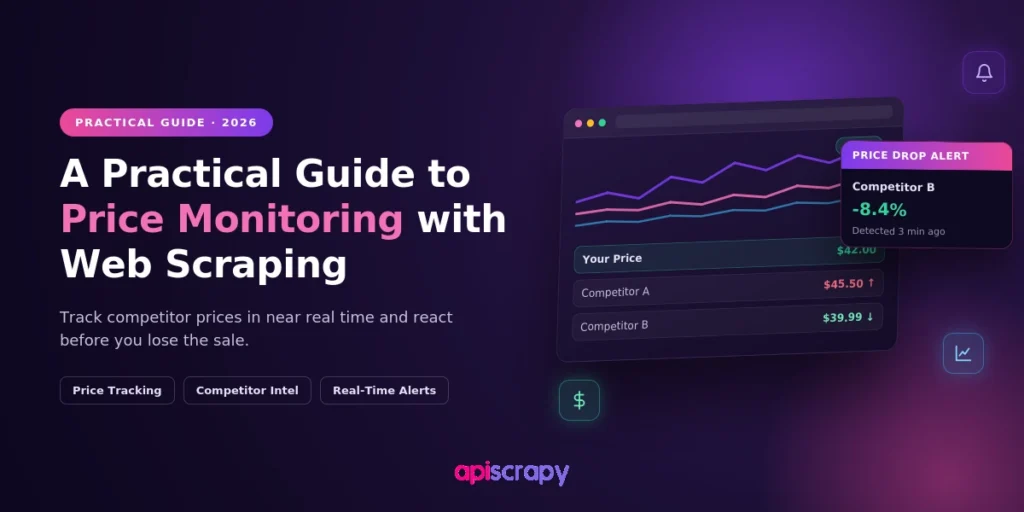
Competitor prices change multiple times a day across retail sites and marketplaces. Manual price checks cannot keep pace with that volume. Web scraping for price monitoring closes this gap by collecting pricing data automatically and continuously.
This guide breaks down how price monitoring actually works, what data is worth tracking, and how to turn scraped pricing data into pricing decisions you can act on.
How Price Monitoring Works
Price monitoring is the continuous tracking of competitor and marketplace prices to inform your own pricing strategy. It relies on automated data collection instead of manual spreadsheet updates. The process compares your prices against competitors, checks for policy violations, and flags meaningful changes as they happen.
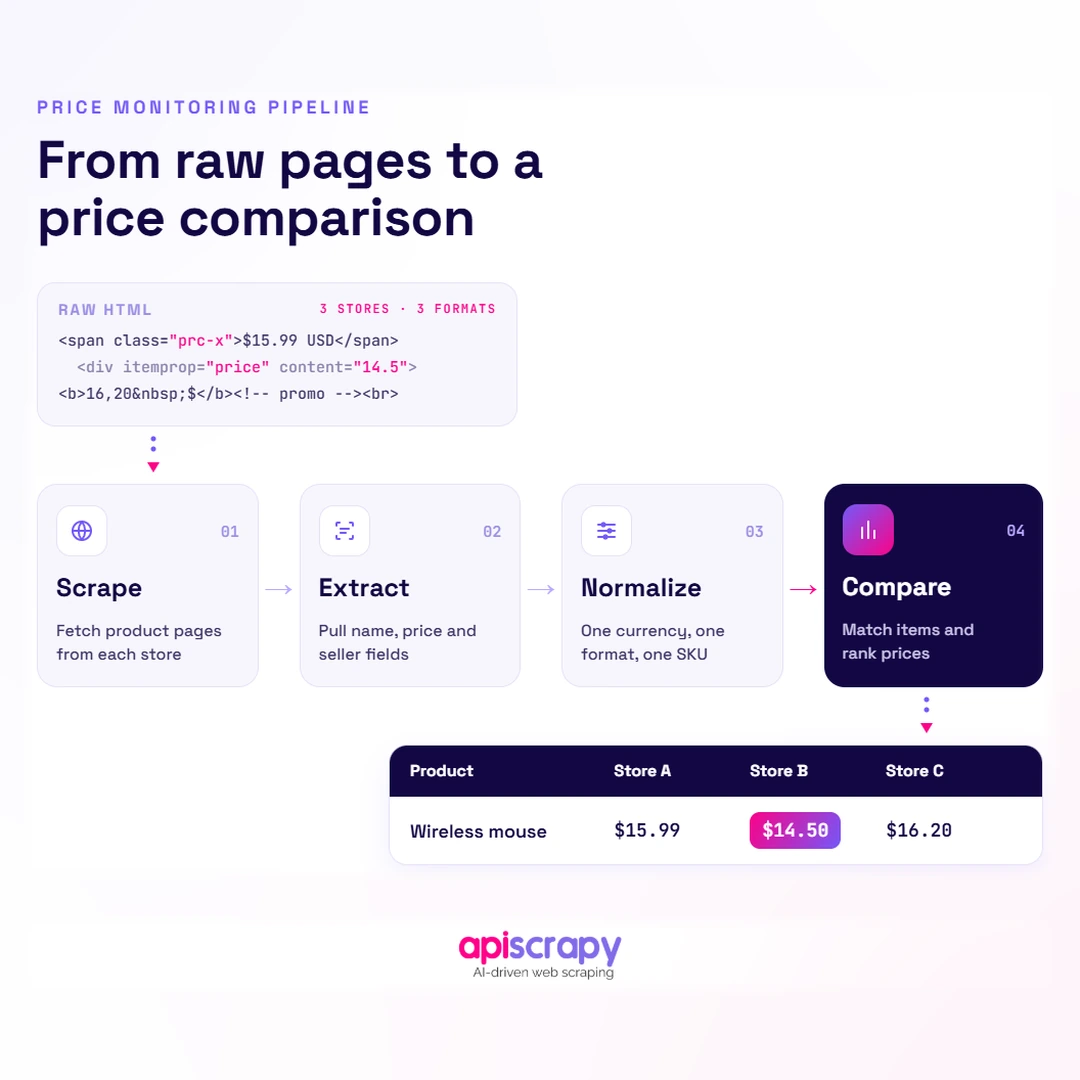
Underneath, the process starts with scraping raw pricing data from competitor pages. That raw data is extracted into fields like price, stock status, and promotions, then normalized into a structured format you can compare against your own catalog.
The basic workflow is:
Scrape → Extract → Normalize → Compare → Act
Pricing teams, revenue managers, and brand managers rely on this data daily. It is especially critical for brands enforcing minimum advertised price policies across a network of retail partners.
The Four Core Stages
1. Scrape
Collect the relevant pages, listings, or API responses from competitor websites and marketplaces.
2. Extract
Identify the actual pricing information and related fields such as stock status, promotions, seller, and shipping costs.
3. Normalize
Convert different formats into a consistent structure so prices can be compared accurately across retailers and markets.
4. Compare and Act
Compare competitor data against your own catalog, pricing rules, and margin requirements, then trigger alerts or pricing actions where appropriate.
The important point is that scraping is only the first part of price monitoring. The value comes from turning raw web data into consistent information that can support a pricing decision.
Why Web Scraping Is Essential for Effective Price Monitoring
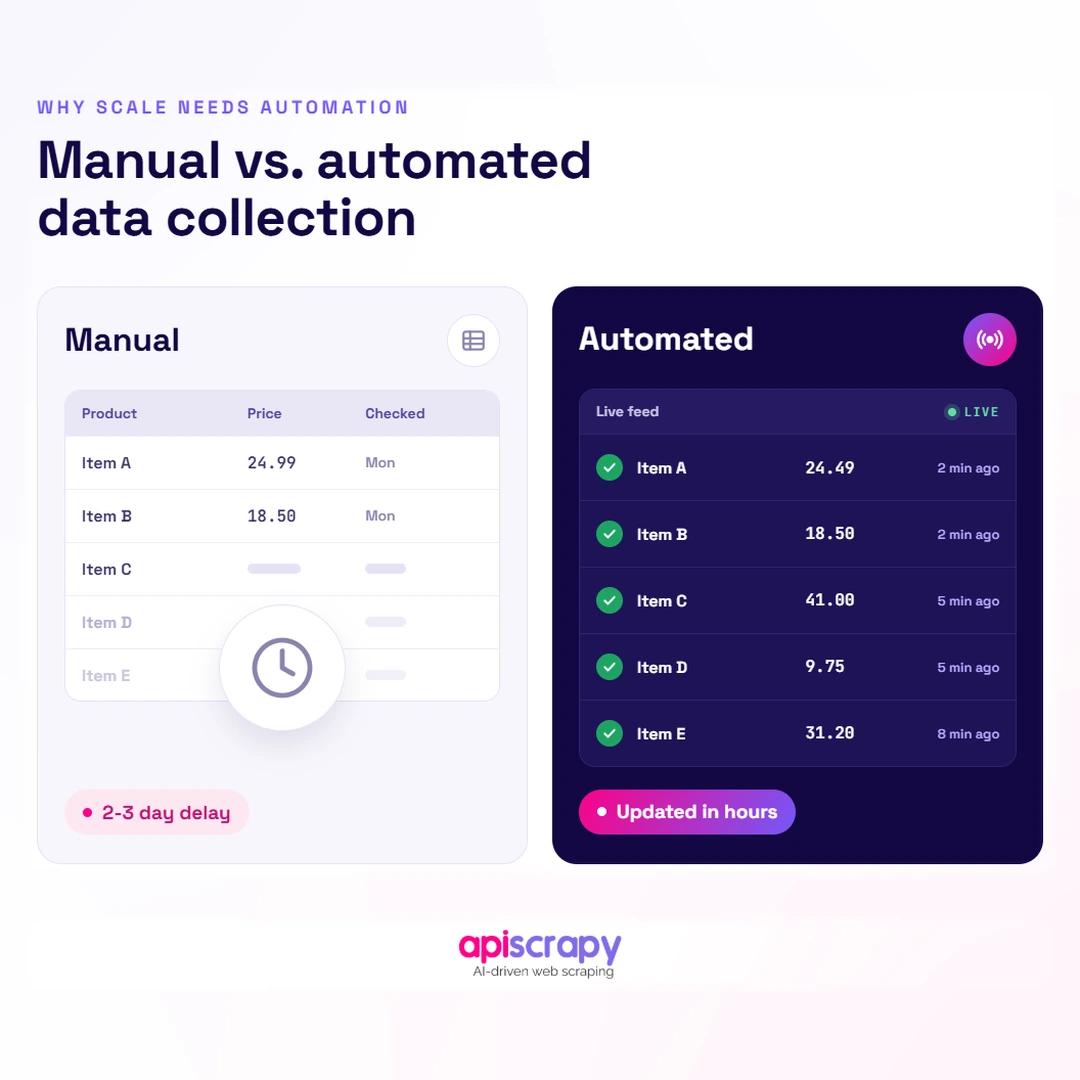
Manual price checks do not scale once you are tracking more than a handful of products. A pricing analyst checking prices by hand cannot cover thousands of SKUs across dozens of retailers every day.
Web scraping replaces that manual effort with near real-time visibility. Instead of periodic, delayed snapshots, you get pricing updates within hours of a competitor changing a price.
Scale is the other advantage. A single scraping setup can track competitor prices across multiple retailers, marketplaces, and regions at the same time, something no manual process can match.
- Continuous coverage: tracks thousands of SKUs across multiple retailers without adding headcount to your pricing team
- Structured, comparable data: normalizes prices, currencies, and units so comparisons stay accurate across every source
- Faster reaction time: flags competitor price drops or promotions within hours instead of days
- MAP violation detection: identifies unauthorized reseller discounting before it damages your brand’s pricing integrity
- Historical trend visibility: builds a price history that reveals seasonal patterns and competitor pricing strategy shifts
Why Historical Data Matters
A single competitor price tells you where the market is right now. Historical price data tells you how that competitor behaves over time.
For example, historical data can help identify:
- How frequently a competitor changes prices
- Whether a price reduction is temporary or persistent
- Recurring promotional periods
- Seasonal pricing patterns
- Competitors that consistently undercut the market
- Changes in pricing behavior over time
This makes price monitoring useful not only for reacting to price changes, but also for understanding broader competitive pricing patterns.
What Price and Competitor Data Should You Actually Track?
Scraping more data is not automatically useful. The value comes from tracking the specific data points that actually change your pricing decisions.
| Data Point | Why It Matters |
|---|---|
| Listed price | Current advertised price across every tracked retailer |
| Stock and availability | Whether a product is in stock, backordered, or discontinued |
| Promotions and discounts | Temporary price cuts or bundle offers that affect the real transaction price |
| MAP compliance status | Whether a reseller’s price meets your minimum advertised price policy |
| Shipping and fees | Added costs that change the effective price a customer pays |
| Seller identity | Which retailer or third-party seller is offering that price |
Each of these data points maps to a specific action. A stock-out might be a chance to raise price slightly, while a MAP violation demands an enforcement email to a distributor.
Product Matching Is Just as Important as Price Extraction
Before comparing prices, you need to make sure you are comparing the same product.
The same product can appear on different websites with:
- Different product titles
- Different URLs
- Different descriptions
- Different image sets
- Different variant names
- Different SKU formats
Where available, stable identifiers such as UPC, EAN, GTIN, MPN, brand, and model information can provide stronger matching signals than product titles alone.
A price comparison is only useful when the underlying products have been matched correctly.
How Does Web Scraping for Price Monitoring Work?
The process behind price monitoring is more of a pipeline than a single action. It runs in five consistent stages.
1. Identify Sources
List every retailer, marketplace, and competitor page where your products and comparable products are sold.
At this stage, define:
- Target websites
- Target product categories
- Product URLs or discovery paths
- Markets and regions
- Required monitoring frequency
2. Extract Data
Pull structured fields such as price, stock status, and promotions directly from each page.
Depending on how the website works, extraction may use:
- Static HTML parsing
- Direct HTTP requests
- Browser rendering for JavaScript-heavy pages
- Accessible API endpoints
- Network request interception
The simplest extraction method that reliably provides the required data should generally be preferred.
3. Handle Site Complexity
Manage dynamic content, pagination, and anti-bot measures that many retail sites use to block automated access.
Some websites may require JavaScript rendering, while others expose the required pricing information through network requests.
This is also where a scraper needs to handle:
- Request timeouts
- HTTP errors
- Rate limits
- Retries
- Pagination
- Dynamic page loading
- Proxy management where required
4. Normalize and Validate
Clean extracted data, standardize currencies and units, and flag missing or inconsistent values before they reach your team.
For example, prices should be stored consistently:
Retailer A → $99.99
Retailer B → USD 99.99
Retailer C → 99.99 USD
These should all be normalized into a common representation before comparison.
Validation should also detect unexpected values such as:
- Missing prices
- Negative or invalid prices
- Unexpected currencies
- Sudden extreme price changes
- Missing product identifiers
- Unexpected availability values
5. Feed Into Dashboards
Push validated data into pricing dashboards or alert systems so your team can act on it the same day.
A monitoring system can expose:
- Current competitor prices
- Price differences
- Historical price changes
- Availability
- MAP violations
- Promotions
- Price-change alerts
This pipeline is also where most monitoring setups break down. Site layout changes and blocking measures are common, which is why ongoing maintenance matters as much as initial setup.
Monitoring the Scraper Itself
Price monitoring needs monitoring of its own.
A scraper can continue returning HTTP 200 responses while silently extracting incorrect or incomplete data after a website changes its layout.
Useful metrics include:
- Pages successfully processed
- Extraction success rate
- Missing price rate
- Missing-field rate
- HTTP 403 and 429 rates
- Retry rate
- Average response time
- Price anomaly rate
- Products successfully matched
- Per-retailer success rate
For example, if a retailer normally returns prices for 98% of tracked products and suddenly drops to 60%, the monitoring system should flag that change immediately.
This helps distinguish between “the competitor did not change its prices” and “the scraper stopped extracting prices correctly.”
How to Turn Competitor Price Data Into Smarter Pricing Decisions
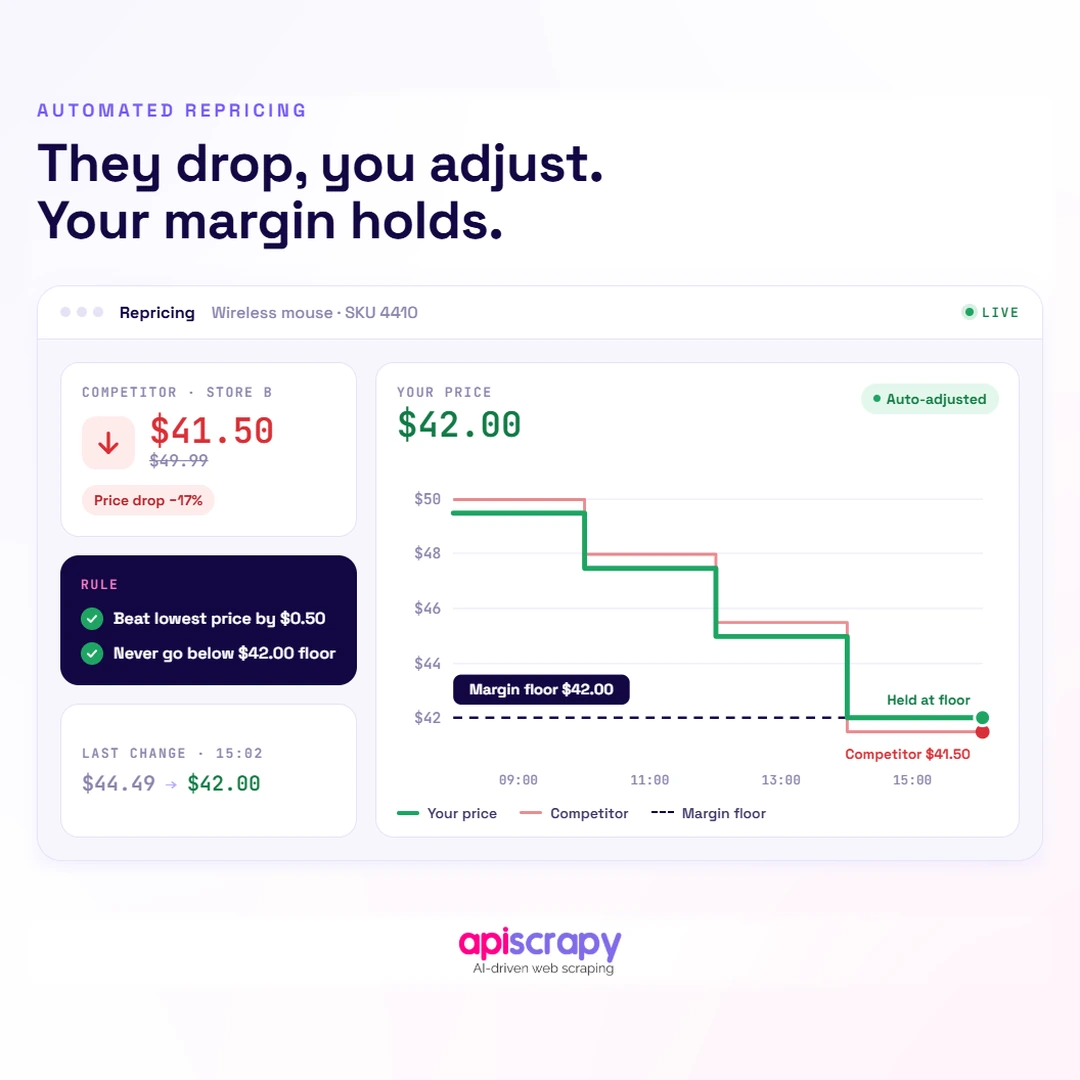
Collecting competitor pricing data is only half the job. The real value shows up once that data drives an actual pricing decision.
Rule-based repricing is the most direct use case. You set margin and price floor rules, and your pricing adjusts automatically whenever a competitor’s price moves.
Beyond automation, the same data supports strategic decisions. Reviewing price history over months reveals seasonal patterns, competitor promotional cycles, and where your pricing is consistently out of step with the market.
- Automated repricing: adjust prices within pre-set margin rules whenever a tracked competitor changes theirs
- MAP enforcement: escalate to distributors or retailers when an advertised price falls below your policy threshold
- Promotional timing: schedule your own discounts around competitor sales cycles instead of reacting after they start
- Margin protection: set firm price floors so repricing rules never trigger a sale below acceptable margin
Don’t React to Every Competitor Price Change
A competitor price change does not automatically mean your price should change.
For example:
Your price: $110
Competitor price: $100
Your minimum margin: $105
Competitor changes to: $95
The monitoring system should identify the change, but the pricing decision should also consider:
- Your margin floor
- Competitor stock availability
- Your own inventory
- MAP requirements
- Current promotions
- Product demand
- Other competitor prices
This allows competitor monitoring to support pricing decisions rather than simply generating notifications.
A Simple Decision Flow
Competitor price changes
↓
Extract & validate
↓
Match the product
↓
Compare against your price
↓
Check margin & pricing rules
↓
┌──────┴──────┐
↓ ↓
No action Alert / Reprice
The goal is not simply to collect more competitor data. It is to connect reliable data to the pricing rules and business decisions that matter.
Start Building Your Web Crawler Today
Conclusion
Competitive pricing is no longer something you can manage with occasional manual checks. It requires continuous, structured data collected and validated at a pace that matches how often competitors actually change prices.
Web scraping provides the collection layer, but reliable price monitoring requires more than scraping alone. Product matching, normalization, validation, historical storage, monitoring, and pricing rules all contribute to the final result.
Services like PriceLeap turn this kind of scraped pricing data into ready-to-use dashboards and alerts, so your team spends less time collecting prices and more time acting on them. Whatever approach you choose, consistency is what makes price monitoring actually useful.
If you are looking to automate competitor price monitoring across retailers and marketplaces, Book a Demo with APISCRAPY to see how automated price data collection can fit into your pricing workflow.
Frequently Asked Questions
How Often Should You Scrape Competitor Prices?
Most brands scrape once or twice daily for stable categories, and every few hours for fast-moving categories like electronics or flash sales.
The right frequency depends on how quickly prices change in your category.
For example:
Stable products: daily or several times per week
Regularly changing products: once or twice per day
Fast-moving categories: every few hours
Flash sales or highly volatile products: potentially more frequently
Monitoring frequency should be balanced against infrastructure cost, website response behavior, and the amount of change that actually matters to your pricing decisions.
Is Web Scraping Competitor Prices Legal?
Scraping publicly available pricing data can be permissible in some circumstances, but the legal and compliance considerations depend on the website, jurisdiction, type of data, access method, and applicable terms or regulations.
Always review a site's terms of service, robots.txt guidance, and applicable data regulations before implementing a monitoring system.
It is also important to use reasonable request rates and avoid bypassing authentication or access controls.
For businesses operating across multiple regions, compliance requirements should be reviewed for the specific markets and data being collected rather than assuming that one rule applies everywhere.
How Do You Ensure the Price Data You Scrape Is Accurate?
Validate extracted data against expected formats, spot-check a sample manually, and flag anomalies like sudden price drops for review.
A reliable monitoring system should also validate:
Product identity
Price format
Currency
Availability
Seller
Shipping and fees
Required fields
Product matching is particularly important. If the wrong competitor product is matched to your product, even a perfectly extracted price can produce an incorrect comparison.
You should also monitor extraction quality over time so that website changes do not silently introduce incorrect data.
What Happens When a Competitor Website Blocks Your Scraper?
Scrapers need to adapt through rotating access methods and respecting rate limits, or fall back to an alternate data source for that retailer.
A production monitoring system should also:
Detect HTTP 403 and 429 responses
Apply appropriate backoff
Avoid repeatedly retrying blocked requests
Track which sources are failing
Monitor whether the issue is temporary or persistent
Use an appropriate alternate extraction method where available
The goal is to maintain reliable data collection without continuously increasing request volume against a source that is refusing access.
Should You Build a Custom Price Monitoring System?
Building in-house gives full control but demands ongoing engineering upkeep, which is why many brands use a managed price monitoring service instead.
A custom system may make sense when:
You have a small number of target websites
Your product catalog is relatively stable
You have engineering resources available
You need highly customized matching or pricing logic
You want full control over the data pipeline
A managed service may be worth evaluating when:
You monitor many retailers
Your catalog contains thousands of products
Websites frequently change
Multiple sources require dynamic rendering
You do not have dedicated scraper engineering resources
You need monitoring and maintenance handled externally
The important comparison is not just the initial development cost. Consider the ongoing cost of infrastructure, proxy management, scraper maintenance, monitoring, data quality, and engineering time as the number of competitors and products grows.