How to Scrape Data from a Website?
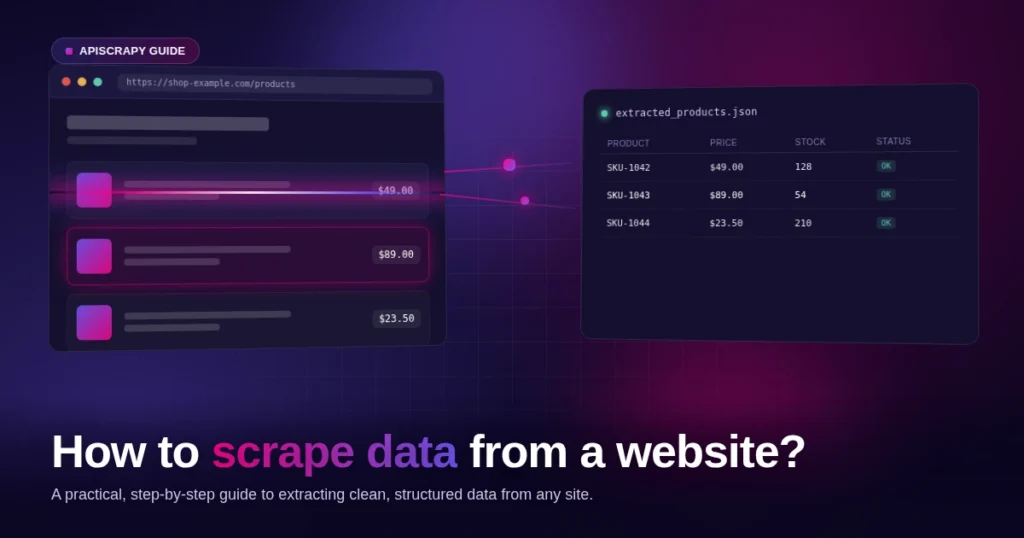
Knowing how to scrape data from a website can change the way a business competes. Instead of spending every morning refreshing competitor pages, copying prices into a spreadsheet, and hoping nothing slipped through, teams now let a scraper do the watching for them. The work gets faster, the errors disappear, and your people finally get their time back for the decisions that matter.
This guide breaks down web scraping into four practical steps, covers the best practices that keep your scraper from getting blocked, and helps you decide on the right technical stack for your needs. Code examples are included at each technical step so developers can follow along and adapt them directly.
In this guide, you will learn:
- How to scrape any website in four repeatable steps
- What causes IP blocks and how to reduce unnecessary blocking
- How to choose between building in-house or using a managed service
- How to handle pagination and JavaScript-heavy websites
- How to validate and monitor scraped data as the scraper runs
- The process breaks down into four repeatable steps. Check permissions, inspect the page structure, write the scraper, then save the data. Once mastered, this sequence applies to nearly any scraping target.
- Permission checks come before any code. Reviewing robots.txt and terms of service upfront helps clarify which parts of a site may be crawled and whether the data sits behind stricter authentication rules.
- Getting blocked is about responsible request behavior, not outsmarting defenses. Rotating proxies where appropriate, spacing out requests, varying user agents, and honoring robots.txt directives can help reduce unnecessary blocking.
- The right stack scales with volume, not preference. A script built for 50 pages a week won’t hold up at 50,000 pages a day, and JavaScript-heavy sites add rendering complexity that raises the technical bar further.
- Maintenance, not the first build, is the real cost. Keeping a scraper working as sites change layouts, APIs, and rendering behavior is often the harder part of long-running scraping projects.
How to Scrape Data from Any Website in 4 Steps
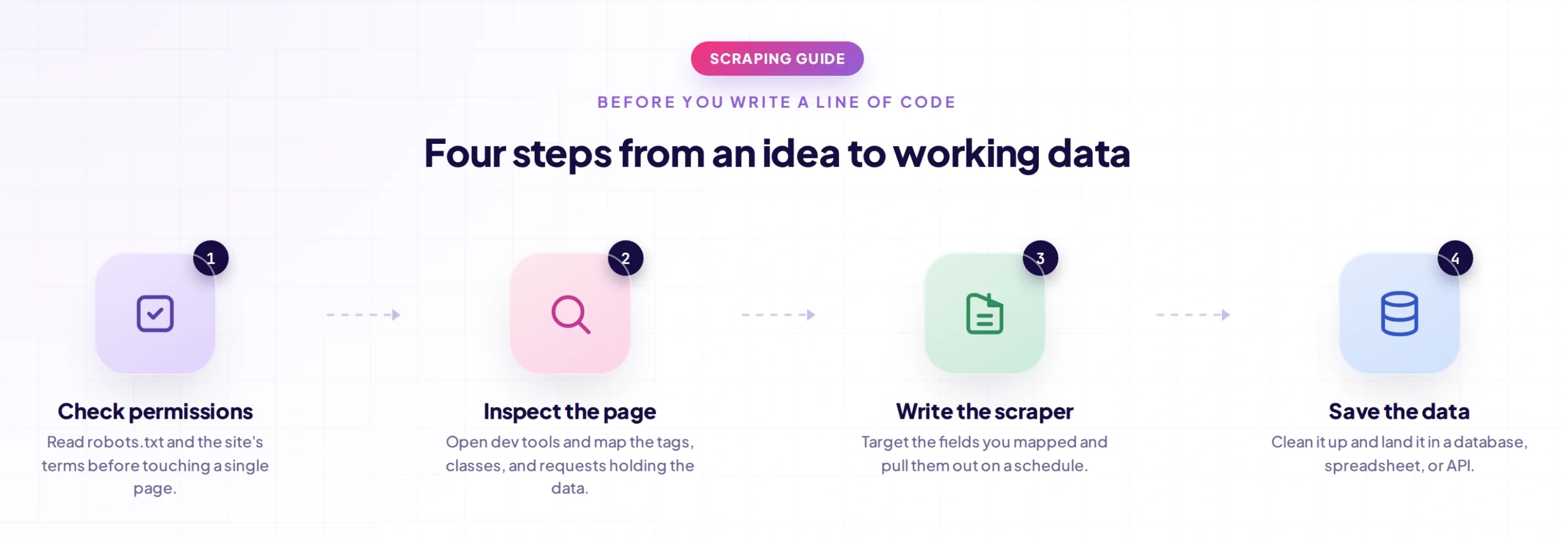
Regardless of the website or the tools involved, most scraping projects follow the same underlying process. Once you understand these four steps, you can apply them to almost any data extraction task.
Step 1: Check if Scraping Is Allowed
Before writing a single line of code, check the website’s robots.txt file and terms of service. Robots.txt tells you which parts of a site are open to crawlers and which are off-limits, and ignoring it can lead to access restrictions or IP blocking.
There’s also a difference between scraping publicly visible pages and scraping content that sits behind a login. Data that requires authentication usually falls under stricter usage terms, so it’s worth reviewing those terms before you start.
- Check the site’s robots.txt file for disallowed paths
- Read the terms of service for data usage restrictions
- Note any rate limits or API alternatives the site offers
- Check whether the website provides an official API or other structured access method
- Identify whether the data you need is publicly accessible or requires authentication
Quick check: visit any-website.com/robots.txt directly in a browser to see the rules before writing any code.
Robots.txt Is Not the Same as Permission to Scrape
robots.txt is an important signal for crawler behavior, but it should not be treated as a complete legal or contractual determination of whether scraping is permitted.
Before building a production scraper, consider the combination of:
- robots.txt
- Terms of service
- Authentication requirements
- Applicable laws and regulations
- Request frequency
- The type of data being collected
When in doubt, review the site’s published requirements and obtain appropriate permission.
Step 2: Inspect the Website:
Open the browser’s developer tools and look at how the page is structured. This tells you which HTML elements, classes, or attributes hold the data you actually want.
It also matters whether the page loads its data directly in the HTML or pulls it in later through JavaScript. Static pages are simpler to scrape, while JavaScript-heavy pages usually need a headless browser or a service built to render them.
- Identify the tags and classes wrapping the target data
- Check the Network tab for hidden API calls the page uses
- Note how pagination or infinite scroll is implemented
- Check whether the required data exists in the initial HTML
- Identify whether content is loaded through Fetch/XHR requests
- Look for stable attributes such as data-testid, IDs, or semantic attributes
Check the Network Tab Before Using a Browser
A page may appear dynamic while the actual data is being loaded from a JSON endpoint.
Open the browser’s Network tab and filter for Fetch/XHR requests.
Look for:
- JSON responses
- Product APIs
- Search endpoints
- Pagination requests
- Requests triggered when you change filters
- Requests triggered when you scroll
If the required data is available through an appropriate API endpoint, using that endpoint directly may be simpler and more efficient than rendering the entire page in a browser.
For example:
import requests

response = requests.get(

"https://example.com/api/products",

params={"page": 1},

timeout=10

)

response.raise_for_status()

data = response.json()
This approach should only be used when the endpoint is accessible and appropriate for your use case.
Static vs Dynamic Pages
Before choosing your scraping tool, determine how the content is delivered.
Static HTML:
Browser
   ↓
HTTP Request
   ↓
HTML
   ↓
Extract Data
JavaScript-rendered page:
Browser
   ↓
Initial HTML
   ↓
JavaScript Executes
   ↓
API / Additional Requests
   ↓
Rendered Content
   ↓
Extract Data
This distinction determines whether a lightweight HTTP client is sufficient or whether browser automation is actually required.
Step 3: Write a Scraper
With the structure mapped out, you can now write a script using a library like BeautifulSoup or APISCRAPY, or use a no-code option if you don’t want to manage code. The right choice depends on your team’s technical comfort and how often the site’s layout changes.
Below is a minimal working example in Python using the requests and BeautifulSoup libraries. It fetches a page and pulls out every product title on it.
import requests

from bs4 import BeautifulSoup

url = "https://example.com/products"

headers = {"User-Agent": "Mozilla/5.0"}

response = requests.get(url, headers=headers, timeout=10)

response.raise_for_status()

soup = BeautifulSoup(response.text, "html.parser")

titles = soup.select(".product-title")

for title in titles:

print(title.get_text(strip=True))
What each part does
for anyone new to reading scraper code:
- requests.get() sends the HTTP request and downloads the page’s raw HTML
- headers sets a User-Agent string, since many sites reject requests with no browser identity at all
- response.raise_for_status() stops the script early if the page returns an error like 404 or 403
- BeautifulSoup(response.text, “html.parser”) parses the raw HTML into a searchable structure
- soup.select(“.product-title”) finds every element matching that CSS class, based on what you found in Step 2’s dev tools inspection
- get_text(strip=True) pulls the readable text out of each element and removes extra whitespace
Handling pagination and dynamic content properly at this stage saves a lot of debugging later. A scraper that only works on page one of results isn’t much use in production
- Choose selectors that are unlikely to change with minor redesigns
- Build in error handling for missing fields or failed requests
- Respect crawl delay settings so requests don’t hit the server too fast
- Validate important fields before storing them
- Log failures so individual pages do not silently disappear from the result
Handling Different HTTP Responses
A production scraper should not treat every non-200 response in exactly the same way.
Common responses include:
| Status | Meaning | Typical Handling |
|---|---|---|
| 200 | Request succeeded | Parse and validate |
| 301/302/307/308 | Redirect | Follow or record final URL |
| 403 | Access denied | Stop or handle according to access policy |
| 404 | Page unavailable | Record as missing |
| 429 | Rate limited | Back off before retrying |
| 500/502/503/504 | Server-side failure | Retry with backoff where appropriate |
For example:
response = requests.get(

url,

headers=headers,

timeout=10

)

if response.status_code == 429:

print("Rate limited")

elif response.status_code == 404:

print("Page not found")

elif response.status_code >= 500:

print("Server error")

else:

response.raise_for_status()
This is especially important for large scraping jobs, where a small percentage of transient failures is normal.
Handling Pagination
Many websites split results across multiple pages.
A basic pagination loop can look like:
import requests

from bs4 import BeautifulSoup

url = "https://example.com/products?page=1"

while url:

response = requests.get(

url,

headers=headers,

timeout=10

)

response.raise_for_status()

soup = BeautifulSoup(

response.text,

"html.parser"

)

for title in soup.select(".product-title"):

print(title.get_text(strip=True))

next_link = soup.select_one(

"a.next"

)

url = (

next_link.get("href")

if next_link

else None

)
The exact pagination logic depends on the website. Some sites use a next link, while others use page numbers or query parameters such as:
?page=2
?page=3
?page=4
For production scraping, always include a clear stopping condition so the scraper does not continue indefinitely.
Handling JavaScript-Rendered Content
If the required information is not present in the initial HTML, a normal HTTP request may not be enough.
In that case, first check whether the browser is retrieving the data from an API. If there is no suitable endpoint, use a browser automation tool such as Playwright.
A simple example:
from playwright.sync_api import sync_playwright

with sync_playwright() as p:

browser = p.chromium.launch(

headless=True

)

page = browser.new_page()

page.goto(

"https://example.com/products",

wait_until="domcontentloaded"

)

page.wait_for_selector(

".product-title",

timeout=10000

)

titles = page.locator(

".product-title"

).all_text_contents()

print(titles)

browser.close()
Use browser rendering only when it is actually necessary. Browser automation consumes considerably more resources than a simple HTTP request, especially when processing thousands of URLs.
Step 4: Save the Data
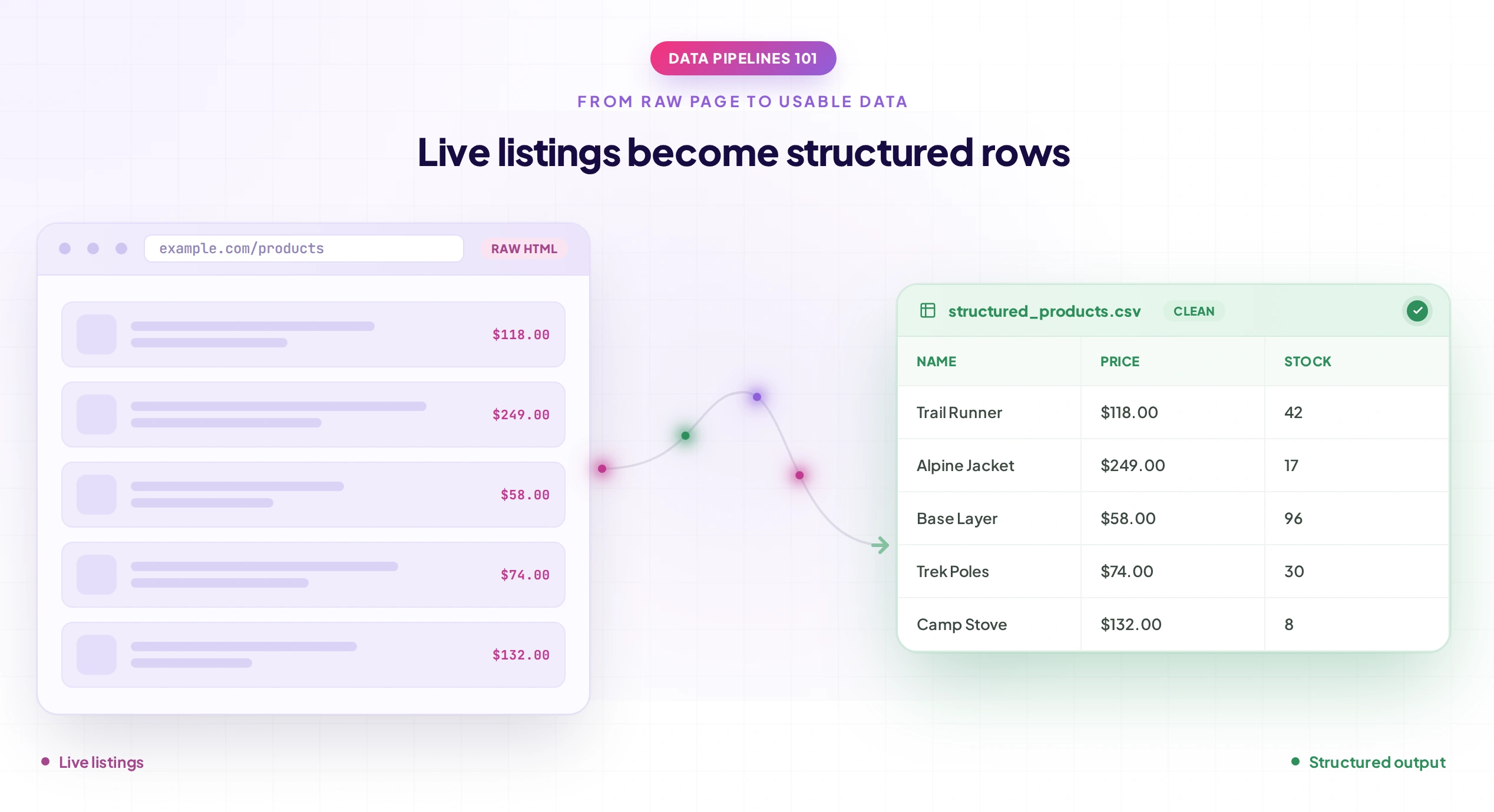
Once you’re pulling data reliably, decide where it needs to live. Most teams export to CSV or Excel for quick use, or push it directly into a database if it feeds another system.
Extending the example above, this snippet writes the scraped titles into a CSV file:
import csv

with open("products.csv", "w", newline="", encoding="utf-8") as file:

writer = csv.writer(file)

writer.writerow(["Product Title"])

for title in titles:

writer.writerow([title.get_text(strip=True)])- Open (…, “w”, newline=””) creates the file and prevents extra blank lines on Windows systems
- csv.writer( file) wraps the file so Python can write rows to it in valid CSV format
- Writerow ([“Product Title”]) writes the header row so the file is readable in Excel or Sheets
- The loop writes one row per scraped item, keeping the file structured for downstream use
Raw scraped data is rarely clean on the first pass, so a validation step before use is worth the extra time. Duplicate rows, missing values, and formatting mismatches are common and easy to catch early.
- CSV or Excel for lightweight, one-off projects
- A database for ongoing pipelines or larger datasets
- Direct API delivery if the data feeds another application
- Object storage when storing large raw HTML or extracted files for later processing
Validate Before Saving
Before storing the final result, validate the fields you extracted.
For example:
product = {

"title": title,

"price": price,

"url": product_url

}

if not product["title"]:

print("Missing product title")

if not product["url"]:

print("Missing product URL")
For production systems, validation should be more comprehensive and may include:
- Required-field checks
- Data-type validation
- Duplicate detection
- Price validation
- URL validation
- Unexpected empty-result detection
This prevents technically successful requests from turning into poor-quality datasets.
What Are Best Practices to Avoid Getting Blocked?
Websites block scrapers when their traffic looks abnormal, and understanding what triggers that response is the first line of defense. Following a few consistent practices makes a real difference in how long a scraper stays functional.
- Rotate IP addresses using a proxy pool when proxy rotation is appropriate for the workload, instead of concentrating all requests on one IP
- Respect rate limits by spacing out requests instead of firing them in bursts
- Use realistic, varied user-agent strings rather than a single default one where appropriate
- Avoid high concurrency that creates unnecessary traffic spikes
- Always honor robots.txt directives
- Use headless browsers carefully, since they can still be fingerprinted if misconfigured
- Implement retries with backoff instead of immediately repeating failed requests
- Monitor 403 and 429 responses so the system can reduce request pressure when access is restricted
Here’s a small extension to the earlier example that adds a delay between requests and rotates through a list of proxies, both of which reduce the chance of getting flagged:
import time

import random

proxies_list = [

{"http": "http://proxy1:port"},

{"http": "http://proxy2:port"},

]

for page_url in list_of_urls:

proxy = random.choice(proxies_list)

response = requests.get(page_url, headers=headers, proxies=proxy, timeout=10)

time.sleep(random.uniform(2, 5))- random.choice(proxies_list) picks a different proxy for each request instead of reusing one IP
- time.sleep(random.uniform(2, 5)) adds a random pause between two and five seconds, mimicking human browsing pace
- Randomizing both proxy and delay together is more effective than either one alone
However, these techniques should not be treated as a way to bypass access controls. Sustainable scraping is about collecting the data you need without placing unnecessary load on the site or repeatedly retrying requests after the site has indicated that access should stop.
Monitor Your Scraper
One of the most important additions to a production scraper is monitoring.
A scraper can continue running without throwing an obvious exception while quietly returning incomplete or incorrect data.
Monitor metrics such as:
- URLs processed
- Successful requests
- Failed requests
- Retry rate
- 403 and 429 responses
- Average response time
- Empty extraction rate
- Missing-field rate
- Duplicate rate
- Number of records saved
For example, if a scraper normally extracts 1,000 products per run and suddenly extracts only 200, that should trigger an alert even if every HTTP request returned 200 OK.
This is often how website layout changes are detected in production.
How to Choose the Right Technical Stack?
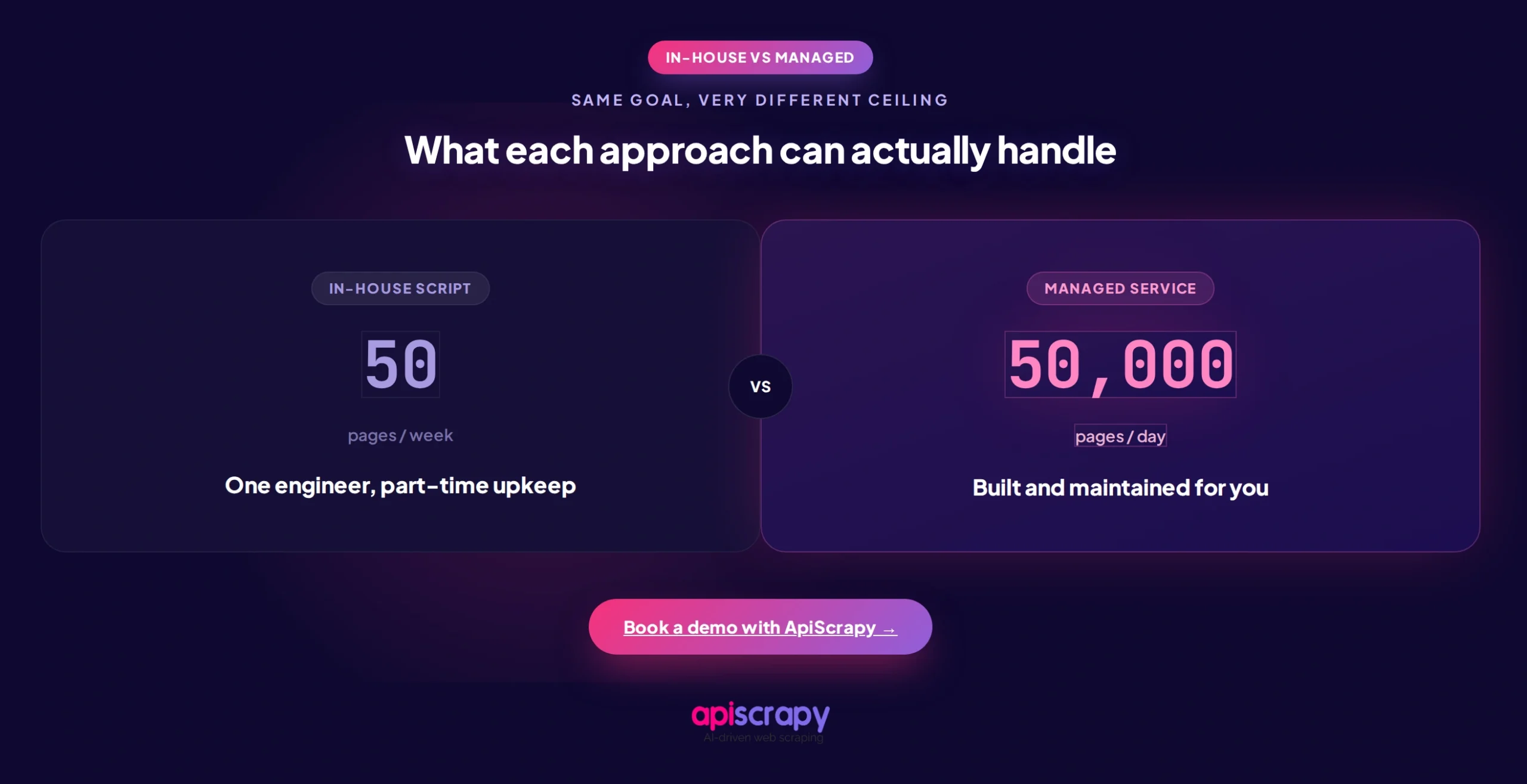
The right stack depends less on personal preference and more on the scale and complexity of what you’re trying to collect. A script that works for 50 pages a week won’t necessarily hold up at 50,000 pages a day.
Scale of Data Needed
Larger, recurring jobs need more robust infrastructure than one-off scripts.
For small jobs, a simple Python script may be enough.
For larger workloads, you may need:
- Worker processes
- Queues
- Persistent storage
- Scheduling
- Retry handling
- Proxy management
- Monitoring
JavaScript Rendering Requirements
Sites built on modern frameworks often need headless browser rendering, which adds complexity.
A practical approach is:
HTTP Request
     ↓
Data Available?
   /       \
 Yes       No
 ↓          ↓
Extract   Check API
             ↓
        API Available?
          /       \
        Yes       No
        ↓          ↓
     Extract    Browser
This avoids using an expensive browser for pages that can be handled with a lightweight HTTP request.
In-House Coding Capability
A team without dedicated engineers will struggle to maintain custom scrapers long-term.
The initial scraper may be easy to build, but ongoing maintenance can involve:
- Selector changes
- Website redesigns
- New APIs
- Pagination changes
- JavaScript changes
- Access restrictions
- Data validation
- Monitoring failures
Budget for Tools and Proxies
Proxy costs scale with volume and can add up fast at higher frequencies.
Browser-based scraping can also require more CPU and memory than simple HTTP requests, especially when many browser instances run concurrently.
Ongoing Maintenance Overhead
Websites change their layouts often, and someone has to keep the scraper working.
This is why the total cost of scraping should include not just infrastructure but also engineering and maintenance time.
In-House Scraper vs Managed Service
For teams without the bandwidth to maintain scrapers in-house, a managed data extraction service can be an alternative to maintaining the complete scraping infrastructure internally.
| Factor | In-House Scraper | Managed Service |
|---|---|---|
| Initial control | High | Depends on provider |
| Custom logic | Full control | Depends on service |
| Infrastructure | Team manages it | Provider manages it |
| Maintenance | Internal team | Provider handles much of it |
| Scaling | Team responsibility | Usually handled by provider |
| Proxy management | Team responsibility | Often included |
| Monitoring | Team responsibility | May be included |
| Best suited for | Specialized or controlled workloads | Larger or maintenance-heavy workloads |
The right choice depends on your technical capacity, data volume, number of target websites, and how much ongoing maintenance you want your team to own.
Developers who scrape regularly tend to agree on one thing: the hardest part of web scraping usually isn’t writing the first version of a scraper, it’s keeping it working as target sites change their layouts and defenses over time.
Start Building Your Web Crawler Today
Conclusion
Web scraping is simple in principle: check the page, extract the data, save it somewhere useful.
The complexity shows up later, in compliance checks, layout changes, JavaScript rendering, pagination, access restrictions, data validation, and the ongoing work of keeping a scraper from breaking.
The four-step process remains straightforward:
Check permissions → Inspect the page → Write the scraper → Save and validate the data
Whether you build in-house or bring in a managed service depends on your team’s technical capacity and how much time you want to spend on maintenance instead of using the data itself.
For small, stable scraping tasks, a lightweight Python script can be enough. As the number of pages, websites, update frequency, and maintenance requirements increase, a more robust scraping pipeline or managed service may make more sense.
Need scraped data without managing scrapers yourself? Book a demo with APISCRAPY to see how a managed data extraction service can handle it end to end.
FAQs About Web Scraping
Can you web scrape for free?
Yes, scraping is technically free using open-source libraries like BeautifulSoup or Scrapy. The real cost usually comes from proxies, server infrastructure, and the engineering time needed to maintain scrapers as websites change.
For a small project, you may only need:
Python
Requests
BeautifulSoup
CSV or JSON storage
As the workload grows, infrastructure, proxy, browser, storage, and maintenance costs become more significant.
Can I scrape a website without coding?
Yes, no-code scraping tools and browser extensions let non-developers extract data through visual point-and-click interfaces. For larger or more complex projects, a managed service is often more reliable than a no-code tool alone.
How do I scrape data from multiple pages of a website?
Multi-page scraping requires handling pagination, either by following "next page" links or by adjusting URL parameters programmatically.
Your scraper needs logic to detect when it has reached the last page and stop.
For example:
page = 1
while True:
url = f"https://example.com/products?page={page}"
response = requests.get(
url,
headers=headers,
timeout=10
)
response.raise_for_status()
soup = BeautifulSoup(
response.text,
"html.parser"
)
products = soup.select(
".product-title"
)
if not products:
break
for product in products:
print(
product.get_text(strip=True)
)
page += 1
The exact implementation depends on how the target website handles pagination.
How do I scrape data from a website and save it to Excel?
Most scraping libraries can export directly to CSV, which Excel opens natively without extra steps. For more control over formatting, Python's openpyxl library lets you write directly into Excel files.
For example:
from openpyxl import Workbook
workbook = Workbook()
sheet = workbook.active
sheet.append([
"Product Title"
])
for title in titles:
sheet.append([
title.get_text(strip=True)
])
workbook.save(
"products.xlsx"
)
For large recurring scraping jobs, however, a database or structured data pipeline is usually more appropriate than using Excel as the primary storage layer.
How do I scrape data from a website into a CSV file?
After extracting the data into a structured format like a list or dictionary, most languages have built-in CSV writer functions to save it directly. Python's csv module, shown in Step 4 above, handles this in just a few lines of code without needing any extra libraries.
For example:
import csv
with open(
"products.csv",
"w",
newline="",
encoding="utf-8"
) as file:
writer = csv.writer(file)
writer.writerow([
"Product Title",
"URL"
])
for product in products:
writer.writerow([
product["title"],
product["url"]
])
Before exporting the final CSV, validate the extracted records so missing fields, duplicates, or malformed values do not silently make their way into the dataset.